
Here’s the part most people get wrong about email verification: you don’t actually need to send anything to find out if an address works. Every mail server on the internet already answers a version of this question before it ever accepts a message — “would you take mail for this exact mailbox?” — and you can ask that question, get the answer, and disconnect before a single word of content goes anywhere. That’s the entire premise behind how to verify email address without sending email, and once you understand the mechanism, most of the confusion around “email validators” and “verification tools” clears up fast.
The reason this matters practically: sending a test email to check if an address is real is slow, it tips off the recipient, and it does nothing to protect you from the real cost of bad addresses — bounces. Every hard bounce on your sending domain chips away at your sender reputation with Gmail, Outlook, and every other major provider, and enough of them will get your future emails routed straight to spam, even the ones going to addresses that are completely valid. So the actual goal isn’t “find a way to email someone quietly” — it’s confirming deliverability using the protocol’s own handshake, which was built to answer exactly this question.
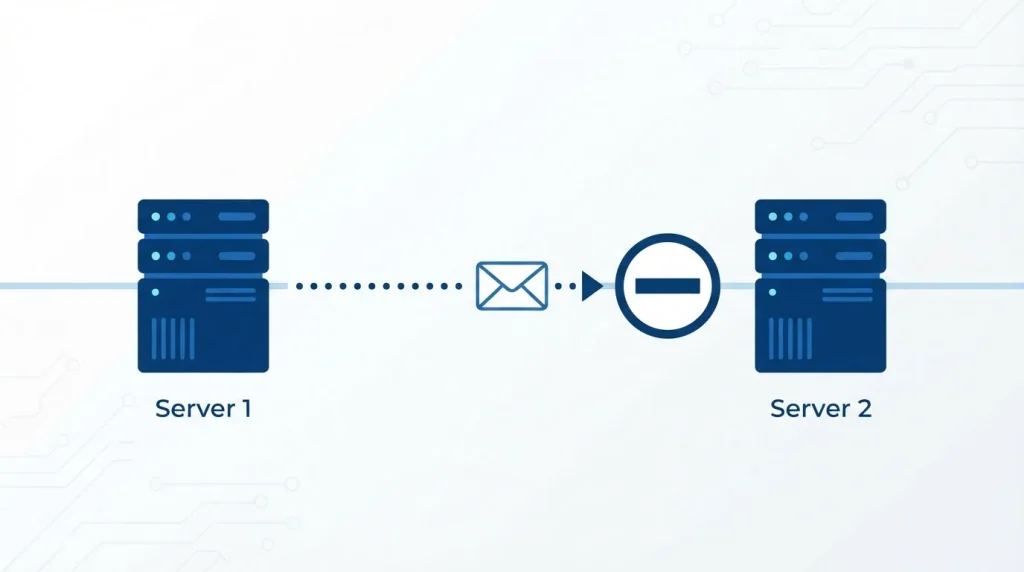
Here’s the short version, if you want it before the detail: mail servers use a conversation called SMTP to negotiate delivery, and the recipient-check step (called RCPT TO) happens before the message body is ever transmitted. A verification tool — or a person doing this manually — opens that conversation, asks the RCPT TO question, reads the server’s answer, and disconnects. Nothing gets delivered. That’s the whole trick, and it’s not a workaround or a loophole; it’s literally how the protocol was designed to work.
What follows is the complete process, broken into the stages that actually matter, in the order a real verification check runs: syntax, domain, and then the handshake itself — plus the parts most guides leave out entirely: why an older method called VRFY doesn’t work anymore, how catch-all detection is actually done, and why even a correctly run check can’t get you a clean answer on every address.
What Does “Verify Email Address Without Sending Email” Actually Mean?
Direct answer: It means confirming whether a mailbox can receive mail by checking its format, its domain’s mail servers, and the receiving server’s response to a delivery request — without ever transmitting the actual message content.
This is layered validation, not a single check. Each layer filters out a different category of bad address, and by the time you reach the final layer, you’ve ruled out almost everything except the genuinely ambiguous cases — which, as you’ll see below, are more common than most guides admit.
Step 1: Check the Syntax
Before anything touches a network, check that the address is structurally valid — one @, a domain with at least one dot, no illegal characters. This catches obvious typos (name@@domain.com, a missing .com) instantly and for free. It’s a necessary first filter, but it proves nothing about whether the mailbox actually exists — notarealperson@gmail.com passes syntax checks perfectly.
Step 2: Check the Domain’s MX Records
Next, confirm the domain can receive mail at all by looking up its MX (Mail Exchange) records — the DNS entries naming which servers handle inbound email for that domain. Check this yourself from a terminal with nslookup -type=MX yourdomain.com. No MX records means the domain can’t receive email, period — that’s an instant “undeliverable” verdict without going any further. An MX record existing doesn’t confirm a specific mailbox is valid, only that the domain itself is set up to receive mail.
Step 3: Run the SMTP Handshake (Without Sending)
This is the actual mechanism behind checking if an email is valid without sending anything. A verification client connects to the mail server found in step 2 and runs part of a normal delivery conversation:
> HELO verifier.example.com
< 250 Hello
> MAIL FROM: <check@verifier.example.com>
< 250 OK
> RCPT TO: <target@theirdomain.com>
< 550 5.1.1 The email account does not exist
> QUIT
The response to RCPT TO is the answer you’re actually after. The receiving server tells you whether it accepts or rejects that specific mailbox before any message content is sent. You disconnect right there, before the DATA command that would actually transmit a message.
The response code itself tells you how much to trust the answer:
| Code range | Meaning | What it tells you |
|---|---|---|
| 250 | Accepted | Mailbox exists (unless the domain is catch-all — see below) |
| 421 | Service unavailable | Server temporarily down; retry later |
| 450 / 451 | Mailbox temporarily unavailable / greylisted | Not a real answer yet — retry after a delay |
| 452 | Insufficient storage | Mailbox exists but is full |
| 550 | Mailbox does not exist | Reliably invalid |
| 551 / 553 | User not local / mailbox name invalid | Reliably invalid |
| 554 | Transaction failed | Often a policy block, not proof of invalidity |
Why the VRFY Command Doesn’t Help Anymore
Older guides mention an SMTP command called VRFY, built specifically to ask “does this mailbox exist?” in one step. In practice, it’s close to useless today: almost every mail server disables it deliberately, because it lets spammers enumerate valid addresses on a domain one guess at a time. Gmail, Outlook, and virtually every major provider either ignore VRFY entirely or return a generic non-answer regardless of whether the address is real. This is exactly why the RCPT TO method in Step 3 — which piggybacks on a step every server must support to function at all — became the real standard, rather than a purpose-built verification command.

How Catch-All Detection Actually Works
A catch-all domain accepts mail for any address at all, real or not — which means a 250 OK response there doesn’t confirm the specific mailbox you asked about actually exists. Detecting this isn’t guesswork: verification tools run a second RCPT TO check against a randomly generated, almost-certainly-nonexistent address at the same domain (something like zzq7f2x91@theirdomain.com). If that also comes back 250 OK, the domain is catch-all, and the original address gets flagged as “unknown” or “risky” rather than “valid” — because the server’s yes doesn’t mean anything specific in that case.

Doing This Yourself in Code
For a developer checking a handful of addresses, the same RCPT TO logic can be run directly against a mail server. In Python, using the standard library:
python
import smtplib

def check_mailbox(email, mx_host, from_address="check@yourdomain.com"):
    domain = email.split("@")[1]
    server = smtplib.SMTP(timeout=10)
    server.connect(mx_host)
    server.helo(from_address.split("@")[1])
    server.mail(from_address)
    code, _ = server.rcpt(email)
    server.quit()
    return code  # 250 = accepted, 550 = rejected
This mirrors exactly what a dedicated validator does under the hood — connect, greet, declare a sender, ask about the recipient, disconnect. It’s genuinely useful for a one-off check or a small internal tool. It’s also exactly where the manual approach stops scaling, for reasons that have nothing to do with the logic itself.
Why This Doesn’t Always Give a Clean Answer
Even implemented correctly, SMTP verification has real, structural limits:
- Catch-all domains, covered above, are the most common source of false “valid” results.
- Greylisting is a deliberate anti-spam tactic where a server temporarily rejects mail from senders it hasn’t seen before (a 450/451 response), expecting a legitimate server to retry later. A one-time check can misread this as invalid when it’s actually just untested.
- Port 25 blocking affects most residential and many cloud IP ranges — your ISP or hosting provider blocks outbound connections on the SMTP port by default to reduce spam, which means a manual check from a home network or a basic VPS often can’t even open the connection.
- IP reputation matters too: running many handshake checks from one IP in a short window looks identical to spam reconnaissance, and providers like Gmail will start silently rate-limiting or ignoring that IP’s RCPT TO requests.
None of these are flaws in the method — they’re the mail ecosystem’s own defenses against the exact technique being described here, which is also used by spammers to harvest valid addresses.

Manual Method vs. Dedicated Email Validator
| Manual (Telnet / code) | Dedicated Validator | |
|---|---|---|
| Cost | Free | Usually per-verification, with a free tier |
| Scale | Breaks down past a few hundred/day | Built for bulk lists |
| Catch-all detection | You’d need to build it yourself | Built in |
| IP reputation / port blocking | Your problem to solve | Handled via managed IP pools |
| Result format | Raw SMTP codes | Clear valid/risky/invalid verdict |
Tools like Verifalia’s email validator and Hunter’s Email Verifier run this exact layered process — syntax, MX, SMTP handshake, catch-all and disposable-address detection — through infrastructure built specifically to avoid the blocking and reputation issues that break manual checks at scale.
When You Actually Need to Verify
- Before a cold outreach campaign — a list with even a 5–10% bad-address rate can push your bounce rate high enough to trigger spam filtering on future sends.
- Before importing a purchased or enriched list — third-party B2B lists degrade constantly as people change jobs; our guide to building a B2B email list covers where these lists typically go stale.
- On signup forms — catching a typo’d address at signup avoids a support ticket later.
- After sourcing a contact from a phone number — that starting point is already less reliable than a name-and-domain lookup, which makes the verification step in this guide matter even more; see why email finder by phone number rarely works cleanly for why.
Quick Checklist
- Confirm the format is structurally correct (one
@, valid domain). - Look up the domain’s MX records — no MX means no mail, full stop.
- Run the SMTP handshake and stop before
DATA— read the RCPT TO response code. - Probe a random address at the same domain to rule out a catch-all false positive.
- Treat greylisted (450/451) results as “retry,” not “invalid.”
- For anything beyond a handful of addresses, use a dedicated email validator rather than doing this by hand.
Conclusion
You can verify an email address without sending email because the SMTP protocol already asks the deliverability question before a message is ever transmitted — you’re just choosing to stop the conversation right after you get the answer. Syntax and MX checks filter out the obvious failures for free; the SMTP handshake gives you the real signal, and knowing how to read its response codes tells you when to trust that signal and when it’s actually a greylisted retry or a catch-all false positive. The honest limit is that no method — manual or tool-based — resolves every address to a clean yes or no. For a handful of checks, running the handshake yourself is enough. For anything at list scale, a dedicated validator handles the IP infrastructure and catch-all logic that make manual checking unreliable past a few hundred addresses.
FAQ
Can you really verify an email address without sending it a message?
Yes. The SMTP handshake — the same conversation mail servers use before every delivery — includes a step where the receiving server confirms whether a mailbox exists, before any message content is sent. Disconnecting right after that step verifies the address without delivering anything.
What’s the difference between an email validator and just sending a test email?
A validator uses the SMTP handshake to get a server’s answer without the recipient ever seeing anything. Sending a real test email is slower, alerts the recipient, and still risks a bounce hurting your sender reputation if the address is invalid.
Why does an email sometimes show as “valid” even if it isn’t real?
This happens on catch-all domains, where the mail server accepts every address at that domain regardless of whether the specific mailbox exists. Validators catch this by probing a second, random address at the same domain to see if it also comes back accepted.
Does the VRFY SMTP command still work for checking addresses?
Rarely. Almost all modern mail servers disable or ignore VRFY because it can be abused to harvest valid addresses. The RCPT TO handshake method is the reliable substitute, since every server must support it to function.
Can I check if an email is valid myself, without a tool?
Yes, using MX lookups and a manual SMTP handshake — but this breaks down at scale because most networks block outbound port 25, and repeated manual checks from one IP often get rate-limited or flagged.
Does verifying an email guarantee it will be delivered?
No. It confirms the mailbox currently accepts mail based on the server’s response, but delivery can still be affected by spam filtering, greylisting on the send itself, or the mailbox being deactivated after the check.

Olivia is a sales professional who shares practical insights on sales strategies, lead management, customer relationships, and tools that help businesses sell smarter and grow faster.