
Sales Force Productivity
Sales force productivity is the revenue and profit your sales team produces relative to the time, headcount, and money you put into it. You improve it in three ways: give reps more time to sell, point that time at the right buyers, and coach and pay for the behaviors that actually win deals.
Most teams have room to do this. Salesforce’s State of Sales research found that reps spend only about 28% of their week selling, with the rest going to deal management, data entry, and similar tasks. Moving that number even a few points can add more capacity than a new hire, without the salary, ramp time, and management overhead.
This guide covers what sales force productivity means, the metrics that track it, what drains it, and eight strategies to improve it. It also explains how sales force automation software fits in and what to look for when choosing tools.
What Is Sales Force Productivity?
Sales force productivity measures how much output your sales organization generates per unit of input. Output is usually revenue, gross margin, and closed deals. Input is usually rep time, headcount, and total sales cost.
There is no single official formula. Teams commonly use one of these:
- Revenue per rep: total sales revenue divided by the number of quota-carrying reps. It is useful for capacity planning and year-over-year comparison.
- Revenue per selling hour: revenue divided by the hours reps spend in selling activity. It shows whether time is being used well.
- Cost of sales ratio: total sales expense (salaries, commissions, tools, travel) divided by revenue. It shows what each dollar of revenue costs to produce.
- Margin-adjusted productivity: gross margin, not raw revenue, divided by sales cost. It stops a team from looking productive by discounting heavily.
Productivity vs. Efficiency vs. Effectiveness
These three terms are often used interchangeably, but they answer different questions.
| Term | Question it answers | Example |
| Productivity | How much do we produce per unit of input? | Revenue per rep per quarter |
| Efficiency | How cheaply and quickly do we produce it? | Cost per closed deal, days per sales cycle |
| Effectiveness | Are we winning the right business? | Win rate on ideal-fit accounts, customer retention |
A team can be efficient without being effective, for example by closing small, low-margin deals quickly. Productivity tracking works best when you watch all three together.
Why Sales Force Productivity Matters
The gap between strong and weak sales organizations is large. McKinsey’s analysis of nearly 500 B2B companies found that top-quartile firms generate roughly two and a half times the gross margin per sales dollar of the bottom quartile.
Three practical effects follow from better productivity:
- More revenue without proportional cost. Extra selling capacity from the same team lowers your cost of sales.
- Less dependence on a few stars. Raising the average rep matters more than chasing one exceptional hire.
- More reliable forecasting. Productive teams tend to have cleaner pipelines and more disciplined processes, which makes revenue easier to predict.
The Four Levers Behind Sales Force Productivity

Harvard Business Review’s “The New Science of Sales Force Productivity” is an older piece, but its framework still holds up. The authors described four levers: targeting the right offerings to the right customers, optimizing tools and procedures, analyzing and managing rep performance, and deploying sales, support, and delivery resources well. You can read the original at Harvard Business Review.
Each lever maps to a modern question:
| Lever | Question to ask today |
| Targeting | Are reps spending time on accounts that fit our ideal customer profile? |
| Tools and process | How much of the week goes to the admin that software could handle? |
| Performance management | Do we know where each rep, stage, and segment is strong and weak? |
| Deployment | Are territories, specialists, and support staff matched to opportunity? |
Most of the strategies later in this article are ways of pulling one of these four levers.
How to Measure Sales Force Productivity
Start with a small set of metrics you can pull consistently from your CRM. Tracking twenty numbers you don’t trust is worse than tracking six you do.
Core Sales Force Productivity Metrics
| Metric | Basic formula | What it tells you |
| Revenue per rep | Total revenue ÷ number of reps | Overall output per person |
| Quota attainment | Actual sales ÷ quota | Whether targets are realistic and reps are hitting them |
| Win rate | Deals won ÷ opportunities closed | Qualification and selling quality |
| Average sales cycle | Total days to close ÷ deals closed | Speed and process friction |
| Average deal size | Total closed revenue ÷ deals won | Account quality and pricing discipline |
| Pipeline coverage | Open pipeline ÷ remaining quota | Whether there is enough pipeline to hit target |
| Selling-time share | Hours in selling activity ÷ total hours | How much capacity reaches customers |
| Cost of sales | Total sales cost ÷ revenue | Cost to generate each revenue dollar |
| Forecast accuracy | Actual ÷ forecast | How well leaders can predict the number |
A single measure of pipeline momentum is deal velocity: (opportunities × average deal value × win rate) ÷ average sales cycle length. It shows how quickly the pipeline turns into revenue and makes clear which of the four inputs to work on.
Leading vs. Lagging Indicators
Revenue and quota attainment are lagging indicators. They tell you what already happened. Leading indicators show problems earlier:
- Selling-time share
- Number of qualified opportunities created per rep
- Stage-to-stage conversion rates
- Age of open opportunities
- Pipeline coverage for the next one and two quarters
If leading indicators slip, lagging results usually follow one and two quarters later.
A Worked Example (Illustrative Numbers)
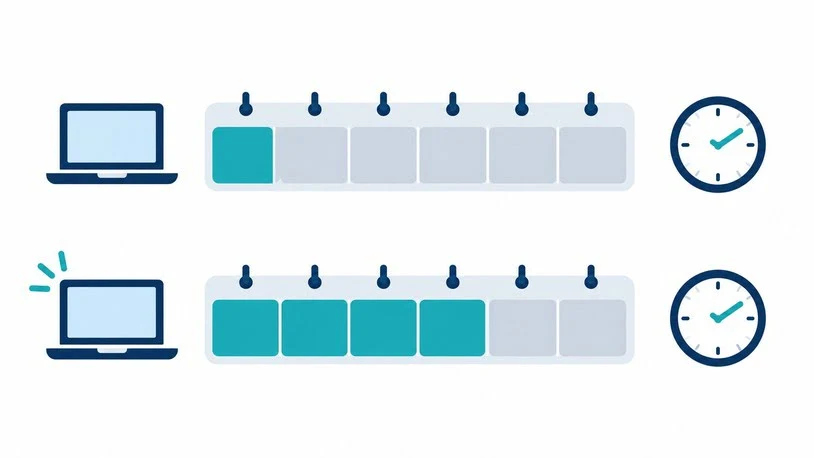
Say a 20-rep team works a 40-hour week and spends 28% of it selling, which is 11.2 hours per rep. Automation and better processes shift 10 percentage points of the week from admin to selling, taking the share to 38%, or 15.2 hours.
- Selling hours per rep rose from 11.2 to 15.2, about 36% more.
- Across 20 reps, that is 80 additional selling hours every week.
- 80 hours is roughly what seven reps produce at 11.2 selling hours each.
This is a capacity calculation, not a revenue forecast. Extra hours only pay off if they go to qualified opportunities, and returns diminish as reps run out of good accounts to call. The example shows why selling-time shares deserves a place on your dashboard.
Benchmark With Care
Published benchmarks vary widely by industry, deal size, and sales model. A common rule of thumb is to keep three to four times your remaining quota in the open pipeline for many B2B teams, but short-cycle SMB sales often need less and long-cycle enterprise sales often need more. Use benchmarks to ask questions, then set targets from your own historical conversion data.
What Drains Sales Force Productivity
Before adding tools and training, find out which of these problems your team has.
Administrative overload. CRM updates, manual reporting, contract formatting, and internal approvals all eat selling hours. Reps rarely complain about any single task, but together they consume most of the week.
Unreliable data. If contact records are stale and opportunity stages are inconsistent, reps waste time verifying information and managers can’t trust forecasts. Salesforce’s 2026 State of Sales report notes that 51% of sales leaders using AI say disconnected systems are slowing their AI initiatives. Poor data limits every tool you add on top of it.
Weak targeting and qualification. Activity spent on poor-fit prospects lowers win rates and stretches cycles. Adding more leads rarely fixes this.
Inconsistent coaching. Many managers coach only when a deal is at risk, and coach everyone the same way. Specific skill gaps go unaddressed.
Poorly calibrated quotas and territories. Quotas set top-down without capacity and market data demotivate reps. Unbalanced territories leave good accounts uncovered.
Confusing compensation. If reps can’t easily see how a deal turns into a payout, they spend time asking about it, and they chase the wrong deals. This is one reason sales compensation design and incentive transparency belong in any productivity conversation.
Tool sprawl. Ten disconnected apps can cost more time than they save. A tool nobody uses does nothing for productivity, whatever the license cost.
How Can We Improve Sales Force Productivity? Eight Proven Strategies
1. Audit How Reps Actually Spend Their Time
Have a sample of reps log their time for two weeks, and review calendar and CRM activity. Sort work into selling (calls, demos, negotiations, proposals) and non-selling (admin, internal meetings, data hunting). This baseline tells you where the hours go, and it lets you prove later that a change worked.
2. Sharpen Targeting and Lead Qualification
Define your ideal customer profile from the deals you have actually won and retained. Use fit criteria and buying signals to rank leads so reps start with the best opportunities. Review stage-to-stage conversion to find where good-looking deals stall, and remove stale opportunities from the pipeline so forecasts reflect reality.
3. Automate Non-Selling Work
Automation is usually the fastest source of recovered time. Common candidates include lead routing, call and meeting logging, follow-up reminders, quote and contract generation, and approval workflows. On offloading and automating non-sales tasks, McKinsey reported that top-quartile companies using shared services and automation improved sales productivity by as much as 30 percent. Results depend on where a team starts, so treat that as an upper bound, not a promise.
4. Fix Data Quality and CRM Adoption
Agree on a short list of required CRM fields and enforce it. Make entering data easy enough (mobile access, auto-capture of emails and calls) that reps don’t see it as extra work. A clean CRM makes every other strategy on this list more effective.
5. Coach on Specific Behaviors
Generic training produces generic results. Identify two and three skills that separate your top performers from the middle, such as discovery questions, multithreading in accounts, and handling pricing objections. Then coach those skills with concrete goals. In one McKinsey example, focusing on specific skills and enforcing their use with concrete goals raised rep productivity by 25 percent within 18 months. Call reviews, role-plays, and deal reviews all work when they are tied to a defined behavior.
6. Set Quotas and Territories From Data
Base quotas on market potential, rep capacity, ramp time, and historical attainment. If most of the team misses quota, examine the quota-setting method before blaming effort. Rebalance territories at least annually, and sooner after big changes in headcount and product mix.
7. Align Incentives With the Behavior You Want
Pay plans steer effort. If you want new-logo growth, renewals, and higher margins, the plan should reward them visibly. Give reps a clear view of their pipeline-to-payout math so they can plan their own time. If you are redesigning a plan, model the cost and payout range before rollout, using something like a sales compensation plan calculator, so the plan doesn’t overpay for low-value deals.
8. Align Sales With Marketing, Operations, and Customer Success
Handoffs are where selling time leaks. Agree on what counts as a qualified lead, who owns follow-up, and how deals move to onboarding. Cross-functional selling also correlates with better results: Salesforce’s research found that eight in ten reps say team selling helps them close deals. Note that this figure comes from a vendor survey, so treat it as directional.
How Sales Force Automation Software Improves Sales Team Productivity
Sales force automation (SFA) software handles the routine, repeatable tasks in the selling process so reps can spend their time with buyers. It is usually part of a CRM platform and connected to one.
Salesforce describes sales force automation as software that takes over routine manual tasks like data entry so reps can focus on relationship-building and closing. That is the core productivity mechanism: it recovers time and standardizes processes.
Where the Productivity Gains Come From
| Task | Without SFA | With SFA |
| Logging calls and emails | Manual entry after each interaction | Captured automatically and logged in one click |
| Lead assignment | Manager assigns by hand and by spreadsheet | Rules route leads by territory, segment, and capacity |
| Follow-ups | Reps rely on memory and personal notes | Automated reminders and task sequences |
| Quotes and contracts | Built from scratch and old templates | Generated from templates with approval routing |
| Pipeline reporting | Reps update spreadsheets before reviews | Dashboards reflect live CRM data |
| Forecasting | Judgment calls on a shared sheet | Stage-based and activity-based forecasts with history |
The gains show up in three places. Reps regain selling hours. Managers get visibility without chasing updates. Leaders get consistent data for quota, territory, and coaching decisions.
The AI Layer in 2026
Many SFA and CRM platforms now include AI assistants that summarize calls, draft emails, research accounts, and flag at-risk deals. In its 2026 State of Sales report, Salesforce said sellers expect fully implemented AI agents to cut prospect research time by 34% and email drafting time by 36%. Those are expectations reported by sellers in a vendor survey, not measured outcomes, so run your own time audit before and after any rollout.
Realistic Expectations
SFA software does not fix a broken process. If qualification criteria are unclear and reps distrust the CRM, automation will just spread the mess faster. The teams that see the biggest gains usually:
- Document their sales process before configuring the tool
- Start with two and three high-friction workflows instead of switching everything on at once
- Train managers to use the dashboards in their weekly reviews
- Measure selling-time share and cycle length before and after
Sales Force Products and Tools: What to Look For
“Sales force products” covers several tool categories, and most teams need only a few of them. Salesforce Sales Cloud is one widely used CRM and SFA platform, but the category is much broader.
| Tool category | Main job | Productivity effect |
| CRM / sales force automation | System of record, pipeline, workflow automation | Less admin, cleaner data |
| Sales engagement | Sequenced email, call, and social outreach | Consistent follow-up at scale |
| Conversation intelligence | Records and analyzes calls | Data-driven coaching |
| Sales planning and territory tools | Quotas, territories, capacity models | Fairer targets, better coverage |
| Commission and incentive software | Calculates and reports payouts | Fewer payout disputes, clearer motivation |
| Sales enablement | Content, playbooks, training in workflow | Faster ramp, consistent messaging |
| Data and intelligence tools | Contact and account data, buying signals | Better targeting, less research time |
Questions to Ask Before Buying
- Which specific problem does this solve? Tie it to a metric from your audit.
- Will reps actually use it? Adoption matters more than feature count. Ask for adoption data from similar customers.
- How does it connect to our CRM and other tools? Poor integration recreates the admin work you were trying to remove.
- What is the total cost? Include per-seat pricing, implementation, admin time, and any add-on modules.
- How long until we see results? Ask for realistic timelines and references you can call.
A 90-Day Plan to Raise Sales Force Productivity
Days 1–30: Baseline. Run the time audit. Pull your core metrics for the last four quarters. Identify the top two and three drains from the list above.
Days 31–60: Pilot. Choose one and two fixes, such as automated call logging and a tighter lead-qualification rule. Roll them out to a small group of reps and compare their selling-time share, conversion, and cycle length against the rest of the team.
Days 61–90: Scale and lock in. Expand what worked, drop what didn’t, and update manager routines (pipeline reviews, coaching cadence) so the new process becomes standard. Set a quarterly review to revisit quotas, territories, and tool usage.
Common Mistakes to Avoid
- Measuring activity instead of outcomes. Call counts alone can reward busywork.
- Buying tools before diagnosing the problem. Software is not a strategy.
- Adding headcount to fix a process problem. New reps inherit the same friction.
- Setting quotas without capacity data. This drives attrition and discounting.
- Ignoring rep feedback. Reps know which tasks waste their time.
- Declaring victory too early. Track results for at least two full sales cycles.
Conclusion
Sales force productivity comes down to a few disciplined habits: knowing where selling time goes, focusing it on the right accounts, removing avoidable admin, coaching specific skills, and paying for the outcomes you want. Sales force automation software can speed up several of those, but only when the process behind it is sound and the team actually uses it.
Start by measuring selling-time share and your core metrics. The gaps you find will show you which lever to pull first.
FAQs
What is a good benchmark for sales force productivity?
There is no universal number. Revenue per rep varies enormously by industry, deal size, and sales model. Compare against your own history and against companies with similar cycles and price points. Selling-time share and quota attainment are often the most useful internal benchmarks to track.
How long does it take to see results from productivity improvements?
Process and automation changes can show up in selling-time shares within a month and two. Effects on win rate, cycle length, and revenue take longer, often two or more full sales cycles, so judge results over a full period.
Does sales force automation software really increase productivity?
It can, mainly by reducing manual work and improving data consistency. The result depends on adoption and process quality. Teams that skip process design and don’t train managers often see little benefit.
How is sales force productivity different from sales effectiveness?
Productivity measures output per unit of input, such as revenue per rep. Effectiveness measures whether that output comes from the right deals: good-fit customers, healthy margins, strong retention. You need both.
How often should we measure sales force productivity?
Review leading indicators like selling-time share, pipeline coverage, and stage conversion monthly, and lagging metrics like revenue per rep, quota attainment, and cost of sales quarterly. Do a fuller audit at least once a year.
Can too many sales tools hurt productivity?
Yes. Each additional tool adds logins, data entry, and training. If tools don’t integrate and reps don’t use them, they can reduce selling time. Consolidate where you can, and retire tools that don’t move a metric.

James Anderson is a sales professional focused on helping businesses improve their sales process and achieve better results. He is experienced in using sales tool to manage leads track customer interactions identify opportunities and support business growth. William values clear communication strong customer relationships and efficient sales strategies.