
The best sales intelligence tools for B2B contact data are ZoomInfo for enterprise database depth, Apollo.io for all-in-one value that pairs data with outreach, Cognism for GDPR-conscious European coverage and verified mobiles, Clay for custom waterfall enrichment, and Lusha for fast individual lookups.
Which one is best for you depends on four things: where your buyers are, whether you need phone numbers or only emails, how many people will prospect, and how much setup your team can handle. This guide compares the five platforms on coverage, verification, pricing mechanics and fit. It then shows how to test contact data on your own market before you sign a contract.
Quick Comparison
| Platform | Best suited to | Main draw | Pricing model |
| ZoomInfo | Enterprise teams, mainly in North America | Database depth, org charts, intent, technographics | Custom annual contracts, commonly reported from about $15,000 a year |
| Apollo.io | Startups, SMBs, SDR-heavy outbound | Contact data and outreach tools in one product | Free plan; paid tiers about 49–119 per user per month on annual billing |
| Cognism | EMEA sellers and compliance-sensitive phone outreach | Phone-verified mobiles, do-not-call screening | Custom annual contracts, commonly reported from about $15,000 a year |
| Clay | Advanced teams needing custom research | Waterfall enrichment across many data providers | Free plan; paid plans from about $185 a month, using credits and actions |
| Lusha | Individual reps doing quick lookups | Browser extension for emails and direct dials | Free plan; entry paid plans roughly 37–52 per user per month on annual billing |
Several vendors do not publish prices, and those that do change them often. Treat these figures as planning ranges and confirm them with each vendor.
What Sales Intelligence Means for B2B Contact Data
A contact database tells you how to reach someone: a work email, direct dial, mobile number and title. Sales intelligence adds the context that helps you decide whether to reach out at all, such as company size, technology in use, hiring or funding activity, job changes and buying signals.
Some platforms go one step further and add sales engagement features like email sequences and dialers. Apollo does this. ZoomInfo, Cognism and Lusha focus mainly on data.
For teams focused on outbound prospecting, the contact layer matters most. A strong signal is wasted if the email bounces or the number reaches the wrong person. That is why this comparison weighs data quality and cost mechanics more heavily than feature lists.
How the Platforms Were Compared
Each tool was assessed on the same five questions: where its data is strongest, how contacts are verified, what the pricing really buys, how compliance is handled, and how much work the tool demands.
The profiles below draw on vendors’ published product and pricing pages and on public comparison content. They are not independent accuracy tests. Bounce and connect rates vary by market, so the testing method later in this guide is what turns these profiles into a decision.
ZoomInfo: Best for Enterprise Depth
Best suited to: large organizations with sales operations support, particularly selling into North America.
ZoomInfo combines a very large contact and company database with org charts, technology data, intent and website-visitor features, and deep CRM integrations. If you need to map a complicated buying committee and connect that map to your existing systems, it does that well.
- Strengths: broad, well-populated North American records, org charts for multi-threading accounts, and mature CRM integrations.
- Limits: pricing is quote-based and depends on licenses, data access, features and credits, with contracts commonly reported to start around $15,000 a year. Coverage outside North America is widely described as thinner, and a small team may pay for far more platform than it uses.
Pick it when several people will use the data daily, account context matters as much as the contact record, and your market is mainly the US and Canada.
Apollo.io: Best for All-in-One Value
Best suited to: startups, small and mid-sized businesses, and SDR-heavy outbound workflows.
Apollo pairs a large global contact database with search filters, enrichment, email sequences, call tasks and CRM sync. You can build a list, reveal contacts and start outreach without stitching several products together.
- Strengths: a permanent free plan for testing on your own market, data and outreach in one interface, and transparent published plans.
- Limits: according to published plan details, credits are capped per plan and do not roll over, so a busy month can exhaust them early. Some features sit on higher tiers, such as the international dialer on the top plan. Accuracy varies by region and role, and competing vendors’ published bounce-rate comparisons disagree widely, so validate a sample before sending at volume.
Pricing: Apollo lists Basic at about $49, Professional at about $79 and Organization at about $119 per user per month on annual billing. Monthly billing runs about $59, $99 and $149. The organization has a three-seat minimum.
Pick it when you want data and outreach in one place, your team is small, and you will verify emails before scaling.
Cognism: Best for European Coverage and Compliance
Best suited to: teams selling into EMEA, and organizations where legal review and phone outreach drive the decision.
Cognism is built around European B2B data and is best known for phone-verified mobile numbers and screening against do-not-call lists. For teams calling prospects in the UK, DACH, France and the Nordics, that focus is the main reason to shortlist it.
- Strengths: emphasis on verified mobiles, do-not-call screening, firmographic and technology filters, and intent data in higher packages.
- Limits: there is no public price list. Packages typically bundle multiple seats and use credits to reveal contacts, with contracts commonly reported from about $15,000 a year. US coverage is generally described as weaker than its European depth, so teams selling in both regions often add a second source.
Pick it when a large share of your pipeline sits in Europe, mobile numbers are central to your motion, and compliance documentation is a procurement requirement.
Clay: Best for Custom Waterfall Enrichment
Best suited to: advanced outbound teams that want to design their own research workflow.
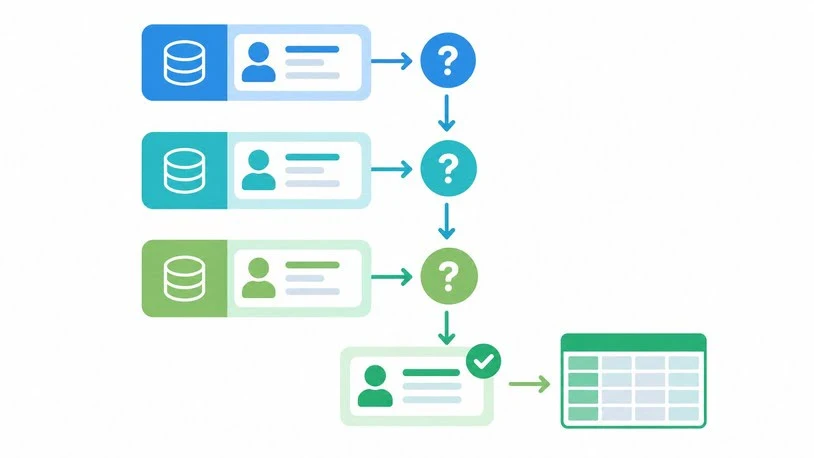
Clay works more like a workbench than a database. You build tables that query several data providers in sequence, called a waterfall. If the first provider cannot return a valid email, the table tries the next. Clay can also run web research and AI steps in the same table, such as checking a company’s website for its tech stack before you write to anyone.
- Strengths: one interface for many data sources (Clay’s pricing page cites 150+ partners), fallback logic that can lift the hit rate on hard-to-find contacts, and custom research columns that fixed platforms do not offer.
- Limits: you own the design, including provider order, error handling and upkeep. Costs run on two meters, Data Credits for purchased data and Actions for platform operations, so budgeting takes care. Some users report large credit losses when a workflow re-ran a big table unexpectedly.
Pricing: Clay has a free plan, with paid plans from about $185 a month for Launch and about $495 a month for Growth.
Pick it when someone on your team enjoys building workflows and your targeting depends on custom facts a standard database does not hold. Many teams run Clay on top of a primary data source rather than alone.
Lusha: Best for Fast Individual Lookups
Best suited to: reps who prospect manually and need an email or phone number in seconds.
Lusha centers on a browser extension that reveals contact details while you browse LinkedIn or your CRM. Setup takes minutes, which suits solo sellers and small teams.
- Strengths: almost no setup, an extension-first workflow, and a free plan.
- Limits: credits drive the cost. Lusha’s published rates charge 5 credits for a phone number and 1 for an email, so phone-heavy prospecting drains an allocation fast. It suits individual lookups better than systematic list building, and plan structures have changed several times.
Pick it when you do occasional LinkedIn lookups and will monitor credit use closely.
Related Tools That Complement Contact Data
- LinkedIn Sales Navigator improves search, saved leads and alerts but is not a source of verified emails or phone numbers.
- HubSpot Breeze Intelligence (formerly Clearbit) enriches records inside HubSpot and mainly benefits teams already on that CRM.
- 6sense and Bombora provide company-level intent. They show which accounts to research, not which person to email.
Where AI Fits in Sales Intelligence
Most platforms now advertise AI features such as account summaries, lead scoring and drafted messages. These save research time, but they are only as good as the underlying data. An outdated job title or a guessed email still produces a confident but weak result. Judge AI features after you have judged data accuracy, and check the source record before acting on any summary.
How Contact Data Quality Really Works
A vendor’s database size says little about how many records will work. Four factors decide that:
- Verification method. Emails can be validated before delivery, inferred from a company’s email pattern, or scraped. Phone numbers can be call-verified or inferred. Ask which method applies to the data you will reveal.
- Freshness. People change jobs constantly. Look for job-change detection and continuous re-verification, not one-off collection.
- Regional and role coverage. A provider can be excellent for US sales leaders and thin for German operations managers. Test your hardest segment.
- Match rate versus accuracy. A tool that returns a result for nearly every contact may be guessing. Measure both on your own list.
Credit Economics: What the Price Really Buys
Credit systems are where sticker prices mislead. Convert every plan into contacts before comparing. This illustration uses Lusha’s published 5-to-1 phone-to-email credit ratio and a hypothetical 600-credit plan.
| Scenario | Credits per contact | Contacts from 600 credits |
| Email only | 1 | 600 |
| Phone only | 5 | 120 |
| Email and phone | 6 | 100 |
Ask three questions before signing any contract. What counts as a credit? What happens when credits run out? Do unused credits roll over?
How to Test Vendors Before You Buy
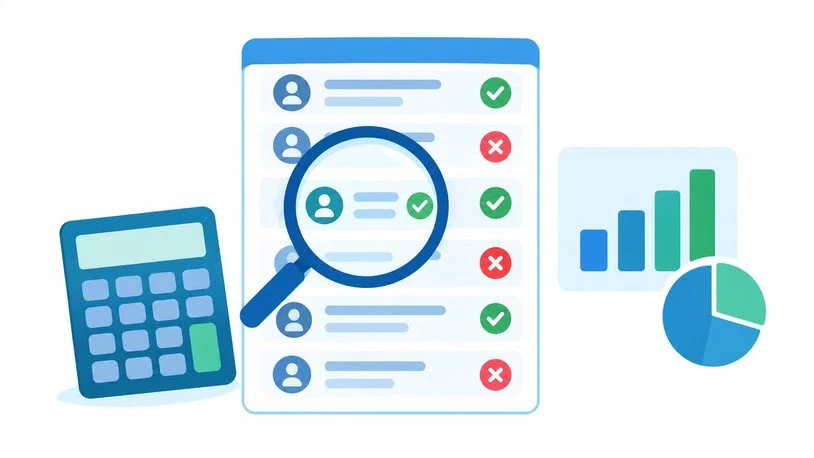
Marketing accuracy claims are not evidence. Your own sample is. Use this method with each shortlisted vendor:
- Build a sample of 100–200 contacts from your real ideal customer profile, including your hardest segment.
- Reveal or export the same list from each vendor and note how many records each returns.
- Validate the emails with a separate verification service, then send a small, low-risk campaign and track bounces.
- Dial a sample of numbers and record connect rates and wrong-person results.
- Spot-check titles and employers against LinkedIn to measure staleness.
- Calculate cost per usable contact.
Cost per usable contact = monthly cost ÷ (records revealed × share that are correct and deliverable)
Here is a hypothetical example, not a benchmark. A $500 plan reveals 1,000 records, of which 75% are usable, so each usable contact costs about $0.67. A $650 plan reveals 1,000 records at 92% usable, or about $0.71 per contact. The gap is small, and the second plan sends fewer bounces, which protects your sending domain.
Best B2B Contact Data Sales Intelligence Tools by Situation
| Your situation | Start by testing | Reasoning |
| Solo founder or very small team | Apollo free plan, Lusha free plan | Low cost, fast setup |
| US SDR team of 5–20 | Apollo, then ZoomInfo if account depth matters | Outreach built in; step up when you need more context |
| Enterprise with sales operations support | ZoomInfo | Depth, integrations and org charts |
| Selling mainly into the UK or EU | Cognism, plus a regional sample test | Mobile coverage and compliance emphasis |
| Team needing custom research | Clay on top of a primary data source | Waterfall logic and custom columns |
| HubSpot-centered team | HubSpot’s native enrichment first | Less integration work |
For outbound prospecting, the sequence matters as much as the tool. Define your ideal customer profile, build the account list first, then source the people inside those accounts. Verify before sending, enrich only what changes your message, and launch in small batches while you watch bounces, replies and connects. Mature teams often end up with two tools, a primary database plus an enrichment layer. Prove one first, then add a second only to close a specific gap.
Compliance Basics
Contact data carries legal obligations that vary by country. In the UK and EU, GDPR applies to personal data, including business contact details, so ask vendors how they establish a lawful basis and honor opt-outs. In the US, email marketing rules, state privacy laws and call regulations apply, and do-not-call screening matters for phone-led outreach. A vendor’s documentation does not remove your duty to honor unsubscribe and deletion requests. This is general information, not legal advice, so ask counsel to review your outbound program.
Common Mistakes to Avoid
- Choosing on database size. Coverage in your region and role matters more than a global total.
- Ignoring how credits work. A low headline price can hide expensive phone reveals and overages.
- Skipping verification. Sending unvalidated emails at volume can damage your domain reputation.
- Buying intent data without a contact source. Signals show which companies to approach, not whom to email.
- Stacking tools too early. Overlapping platforms create duplicate records and cleanup work.
Frequently Asked Questions
What are the best sales intelligence tools for B2B contact data?
ZoomInfo, Apollo.io, Cognism, Clay and Lusha are the most commonly shortlisted. ZoomInfo suits enterprise depth, Apollo suits budget-conscious all-in-one workflows, Cognism suits European and phone-led teams, Clay suits custom enrichment, and Lusha suits quick lookups.
What is the difference between sales intelligence and a contact database?
A contact database supplies names, emails and phone numbers. Sales intelligence adds company facts, technology usage, hiring or funding signals and intent data to help you decide whom to prioritize and when.
How much do sales intelligence tools cost?
Self-serve tools such as Apollo run from a free plan to roughly 49–119 per user per month on annual billing. Clay starts from about $185 a month. ZoomInfo and Cognism use custom annual contracts, commonly reported from about $15,000 a year. Compare cost per usable contact, not sticker price.
Which tools suit outbound prospecting on a small budget?
Apollo’s free and entry plans and Lusha’s free plan are the usual starting points. Verify emails before sending, and watch credit limits, which can run out before the billing period ends.
What is waterfall enrichment?
Waterfall enrichment queries several data providers in a set order. If the first cannot return a valid result, the workflow tries the next, which can raise the share of contacts you find. Clay is the best-known tool built around this approach.
How accurate is B2B contact data?
It depends on the vendor, region, seniority and how recently records were refreshed. Vendors publish their own accuracy claims and public comparisons often disagree, so the only reliable figure is the bounce and connect rate you measure on your own sample.
Are these tools GDPR-compliant?
Compliance depends on the vendor and on how you use the data. Some vendors emphasize European compliance and do-not-call screening, but you remain responsible for lawful outreach and honoring opt-outs. Review the data processing terms before you buy.

James Anderson is a sales professional focused on helping businesses improve their sales process and achieve better results. He is experienced in using sales tool to manage leads track customer interactions identify opportunities and support business growth. William values clear communication strong customer relationships and efficient sales strategies.