
Best B2B Contact Data Sales Intelligence Tools in 2026
The best B2B contact data sales intelligence tools depend on what you need most. ZoomInfo suits enterprise teams that want deep US coverage. Apollo.io gives small teams contact data and outreach for the least money. Cognism fits teams selling into Europe. Lusha is the quickest option for one-off lookups. Clay raises match rates by querying many data providers in sequence.
No single platform wins every category, and the accuracy figures vendors publish are rarely comparable. This guide explains what you are buying, how to evaluate providers, where each major tool fits and how to test any of them on your own target accounts before you sign.
How This Guide Was Put Together
This comparison draws on publicly available vendor information and published third-party and vendor reviews as of October 2026. It is not based on hands-on laboratory testing. Where a figure comes from a vendor about its own product, the text says so. Where sources disagree, the guide keeps the claim general rather than choosing a number. Prices change often, so confirm them with the vendor.
Quick Answer: Best Tools by Use Case
| If you need… | Strong fit | Why |
| Broadest database for North America | ZoomInfo | Large coverage, org charts, intent data |
| Contact data plus outreach on a budget | Apollo.io | Database and sequencing in one product |
| Phone-verified European data | Cognism | EMEA focus, do-not-call screening |
| Fast one-click lookups | Lusha | Browser extension, simple setup |
| Highest match rate across sources | Clay | Waterfall enrichment across many providers |
| Real-time list building | Seamless.AI | Builds lists on demand |
| Relationship and warm-path research | LinkedIn Sales Navigator | Network graph and job-change alerts |
| Contact data and intent at a mid-market price | Lead411 | Bundles both at a lower entry price |
| Data and outbound execution together | Amplemarket | Signals, sequencing and deliverability tools |
Contact Data vs. Sales Intelligence: What You Are Buying
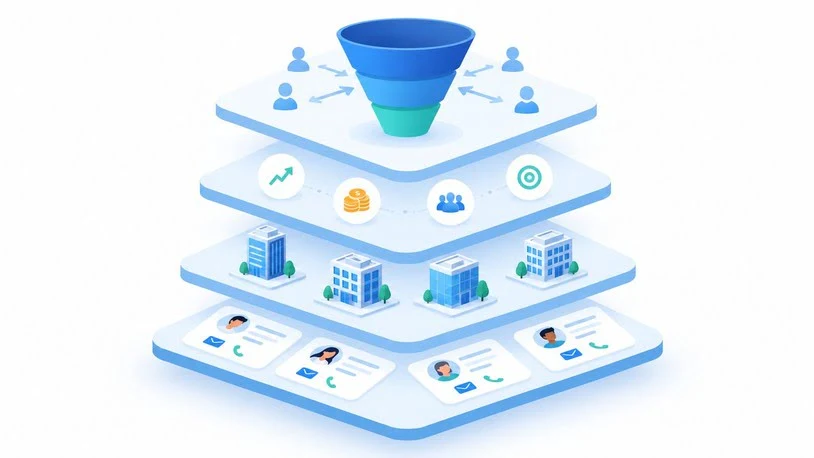
The terms overlap, but they describe different layers.
Contact data is the raw material: verified business emails, direct-dial and mobile numbers, job titles and reporting lines. Sales intelligence software adds context around that data. It brings in firmographics (company size, revenue, industry), technographics (the software a company uses), buying signals and CRM sync, so reps know who to contact and why now.
Most B2B data providers fall into four groups:
- Contact databases: ZoomInfo, Cognism, Lusha and Lead411 sell access to a maintained record set.
- Data plus engagement platforms: Apollo.io and Amplemarket pair a database with sequencing, so you can find and contact people in one place.
- Enrichment and orchestration tools: Clay fills gaps in your own lists by querying many providers.
- Account-level intent platforms: 6sense, Demandbase and Bombora show which companies appear to be researching your category. They rarely hand you a reliable direct dial for the person doing the research.
Knowing which group you need prevents the most expensive mistake in this category: paying enterprise prices for a product built for a different job.
What Buying Signals Actually Are
A buying signal is a dated event that suggests a prospect may be ready for a conversation. Common examples include a job change or promotion, a funding round, a hiring surge, a leadership change and a headcount shift. The useful question to ask any vendor is whether a signal attaches to a named person or only to a company, and how often it refreshes. A person-level signal gives a rep someone to contact. A company-level signal only narrows the list.
How to Evaluate a Contact Data Provider
Compare vendors on the same criteria rather than on whichever headline number each publishes.
- Accuracy on your market. A large database can still miss your segment. Match rate and bounce rate on your own accounts are what count.
- Data freshness. Ask how often records are re-verified and whether lookups hit a cached record or a live source.
- Regional coverage. Providers strong in North America can be thin in Europe, and the reverse also holds.
- Signal depth. Check whether signals are person-level or company-level and how often they refresh.
- Pricing model. Per-seat, per-credit, flat-rate and quote-based plans behave very differently as usage grows.
- Compliance posture. Look for published privacy certifications, opt-out handling and do-not-call screening.
- Integrations. Confirm native CRM sync with automatic refresh, not only one-time import.
- Execution layer. Decide whether you want data only, or data plus sequencing, dialing and deliverability tools.
The Best B2B Contact Data and Sales Intelligence Tools Reviewed
Prices below are the figures publicly reported in 2026. Sources sometimes disagree, so treat them as starting points.
ZoomInfo: Best for Enterprise Database Depth
ZoomInfo is the default choice for large organizations that need deep US coverage, org-chart context and intent data. It also offers conversation intelligence through Chorus. Reported database sizes vary widely by source, from roughly one hundred million to several hundred million contact records, so treat any single figure with caution. Contracts are quote-based and commonly reported as starting around $15,000 per year, with credit pools that can push reps to ration lookups. It makes the most sense for teams with dedicated RevOps support and enough outbound volume to justify the commitment.
Apollo.io: Best Value for Small and Mid-Sized Teams
Apollo combines a large contact database with email sequencing and a dialer, which makes it a common first purchase for startups and SMB sales teams. A free tier exists, and paid plans are widely reported from about $49 per user per month. The trade-off is consistency. Published tests, many of them run by rival vendors, report very different bounce rates, and accuracy tends to be strongest in North America. Verify emails before sending at volume to protect your sender reputation.
Cognism: Best for European and Phone-Verified Data
Cognism is built for teams selling into EMEA, with phone-verified mobile numbers, do-not-call list screening and a GDPR-first posture. Pricing is sales-led and typically reported in the five-figure annual range. Coverage outside Europe is generally described as thinner, so teams selling globally often pair it with a second source for US contacts.
Lusha: Best for Quick Individual Lookups
Lusha is best known as a browser extension that reveals emails and direct dials while a rep browses LinkedIn or a company site. Setup takes minutes, and a free plan is available. The company states a database of more than 515 million contacts, 26 buying signals refreshed weekly, 98% email accuracy and roughly 85% accuracy on US phone numbers. These are vendor claims, so test them yourself. It lists SOC 2 Type II and ISO certifications along with GDPR and CCPA compliance, which helps in procurement reviews. Plan prices are reported differently across sources, and credit-based usage can get expensive for heavy prospectors, so read the credit rules closely.
Clay: Best for Waterfall Enrichment
Clay is less a database than an orchestration layer. It runs a waterfall across many data providers, so if one source lacks a contact, the next fills the gap. That raises match rates and suits RevOps teams and go-to-market engineers who want custom list-building workflows. Entry pricing is reported from around $185 per month. Expect a learning curve, and watch credit consumption on complex workflows.
Seamless.AI: Best for Real-Time List Building
Seamless.AI generates contact lists on demand rather than serving a static snapshot, and it offers a free tier. It suits high-volume prospecting teams that need lists quickly. As with any single-source provider, check its accuracy on a sample of your own accounts before committing at scale.
LinkedIn Sales Navigator: Best for Relationship Research
Sales Navigator is a buyer-mapping tool more than a contact-data product. Its strengths are advanced search, warm-path insight and job-change alerts drawn from the largest professional network. Pricing is commonly reported from about $99 per user per month, rising on higher tiers. It does not freely export emails or phone numbers, so most teams pair it with a dedicated data provider.
Lead411: Best Budget Option with Intent Data
Lead411 bundles verified contacts with buying-intent signals at a lower entry price than enterprise platforms, typically reported from about $99 per user. Its database is smaller than the largest vendors’, so check coverage for your specific segment before buying.
Amplemarket: Best for Combining Data and Outbound
Amplemarket pairs a contact database with contact-level signals, multichannel sequencing and email deliverability tools. The aim is to shorten the path from a buying signal to a sent message. The vendor reports plans from roughly $2,880 to $3,960 per user per year. Rankings that a vendor publishes about its own product deserve extra scrutiny, so judge it in a trial. It suits teams that want to replace several separate tools, and it is less compelling if you already have a settled engagement stack.
Account-Level Intent Platforms
6sense, Demandbase and Bombora help marketing and ABM teams identify which companies are in-market. Contracts are typically reported at $25,000 to $50,000 or more per year, and implementation takes longer than with contact-first tools. They answer “which accounts?” rather than “who exactly do I email?”, so most teams pair them with a contact-data provider. Clearbit, now part of HubSpot as Breeze Intelligence, fills a similar enrichment role inside HubSpot-centered stacks.
At-a-Glance Comparison
| Tool | Primary job | Approx. entry price (reported) | Free tier | Main limitation |
| ZoomInfo | Enterprise data and intent | ~$15,000/yr | No | Cost, credit rationing |
| Apollo.io | Data plus sequencing | ~$49/user/mo | Yes | Accuracy varies by region |
| Cognism | EMEA phone-verified data | ~$15,000/yr | No | Thinner outside Europe |
| Lusha | Quick lookups | Varies by source | Yes | Credit model at scale |
| Clay | Waterfall enrichment | ~$185/mo | Check current plans | Learning curve |
| Seamless.AI | Real-time list building | Varies | Yes | Single-source accuracy |
| Sales Navigator | Relationship mapping | ~$99/user/mo | No | No free contact export |
| Lead411 | Budget data plus intent | ~$99/user | No | Smaller database |
| Amplemarket | Data plus execution | ~2,880–3,960/user/yr | No | Vendor-published scoring |
How Accurate Is B2B Contact Data, Really?
No provider is fully accurate, and published numbers disagree. A commonly quoted estimate puts B2B data decay near 3% per month, which compounds to roughly 30% of records per year. One vendor’s published measurement of 148,000 records found that about 12% of US sales leaders changed roles within twelve months. The two figures measure different things: one tracks general record decay, the other tracks job changes in a single segment. The practical lesson is the same. Data goes stale, and vendor claims cannot replace testing.
A 5-Step Accuracy Test

- Build a sample. Take 50 to 100 accounts that reflect your real ideal customer profile, including harder segments.
- Run every shortlisted tool on the same list. Use free trials or a vendor-supported pilot.
- Measure match rate. Count how many target contacts each tool returns with an email and a phone number.
- Measure bounce rate. Verify emails first, then send a small controlled batch and track bounces.
- Compare cost per usable contact. Divide total spend by verified, deliverable contacts, not by credits used.
Metrics to Track When Comparing Vendors
| Metric | Formula | What it tells you |
| Match rate | Contacts returned ÷ contacts requested | Coverage of your segment |
| Email bounce rate | Bounced emails ÷ emails sent | Data quality and sender-reputation risk |
| Phone connect rate | Calls that reach the right person ÷ calls dialed | Direct-dial quality |
| Cost per usable contact | Total spend ÷ deliverable, verified contacts | Real price, not list price |
| Cost per meeting | Total spend ÷ meetings booked | Business impact |
A hypothetical example shows why list price misleads. Say Tool A costs $6,000 and yields 2,000 deliverable contacts, while Tool B costs $9,000 and yields 4,000. Tool A costs $3.00 per usable contact and Tool B costs $2.25, so the cheaper plan is the more expensive one per contact. The numbers are illustrative only, but the calculation is worth running on real trial data.
How These Tools Fit into an Outbound Workflow
Contact data tools sit at the start of a repeatable process:
- Define the ideal customer profile. Set industry, company size, region and target roles.
- Build the list. Search the database, or enrich a list you already have.
- Layer in signals. Prioritize people with recent job changes, funding or hiring activity.
- Verify before sending. Check emails and, for phone-first teams, screen against do-not-call lists.
- Sync to your CRM. Push records with automatic refresh so data stays current.
- Measure and prune. Track bounce and reply rates, and drop sources that underperform.
What B2B Contact Data Really Costs
List prices rarely predict the real bill. Three factors move the number.
- Credit mechanics. Credit plans look cheap at low volume but become unpredictable at scale. Phone reveals often cost more credits than email lookups.
- Seat counts. Per-seat pricing scales linearly, so a plan that suits five reps can become expensive at twenty-five.
- Stack sprawl. A data-only tool may need a separate sequencing platform, deliverability tools and an enrichment layer. Compare total cost of ownership, not just the data subscription.
As a rule of thumb, heavy prospecting teams should favor flat or pooled pricing. Occasional users are usually fine on a free or low-tier credit plan.
Compliance: What Buyers Should Check
Contact data is personal data, so compliance is a procurement requirement.
- GDPR and CCPA: Ask how the vendor handles lawful basis, opt-outs and data-subject requests, and read the data-processing addendum before signing.
- Do-not-call screening: This matters most for phone-first teams. Confirm whether screening is automatic.
- Certifications: SOC 2 Type II and ISO standards are useful evidence of security practices. Ask for the certificates rather than relying on a logo.
- Your own outreach rules: A compliant data source does not make your outreach automatically compliant. Rules for cold email and calling differ by region, so check with qualified counsel for the markets you target.
Which Tool Should You Choose?
| Your situation | Best starting point |
| Solo founder or very small team | Apollo.io free tier or Lusha free plan |
| Early-stage SDR team, budget-sensitive | Apollo.io, with email verification |
| Enterprise with a RevOps team | ZoomInfo |
| European-heavy pipeline | Cognism |
| Heavy research on LinkedIn | Lusha or Sales Navigator, paired with a data source |
| RevOps team building custom workflows | Clay on top of one primary provider |
| Want fewer tools in the stack | Amplemarket or Apollo.io |
| ABM-led marketing motion | Account-intent platform plus a contact provider |
Most teams end up with two layers: one primary contact-data source and one enrichment or intent layer.
Common Mistakes to Avoid
- Buying on database size. A bigger number does not mean better coverage of your segment.
- Skipping the trial. Demos tend to show best-case data.
- Ignoring deliverability. High bounce rates damage sender reputation, and repair takes time.
- Choosing credits without modeling usage. Estimate monthly lookups before picking a plan.
- Treating vendor scorecards as neutral. A ranking published by a vendor reflects that vendor’s strengths.
- Leaving compliance to the last step. It can stall a purchase late in the process.
Frequently Asked Questions
What are the best B2B contact data sales intelligence tools?
For most teams the shortlist is ZoomInfo for enterprise coverage, Apollo.io for value, Cognism for Europe, Lusha for quick lookups and Clay for enrichment. The right pick depends on region, budget and whether you want outreach tools built in.
What is the difference between contact data and sales intelligence?
Contact data covers emails, phone numbers and job titles. Sales intelligence adds context such as company details, technology use and buying signals, plus CRM sync.
Which tool has the most accurate B2B contact data?
No provider is universally the most accurate. ZoomInfo is generally associated with North American depth and Cognism with European phone data, but results vary by segment. Test each tool on a sample of your own accounts.
What is the cheapest sales intelligence tool?
Apollo.io and Lusha offer free tiers and low-cost paid plans, which suit small teams. Enterprise platforms usually start in the five-figure annual range.
Do I need an intent data tool as well?
Not always. Intent data helps ABM programs and larger teams prioritize accounts. Small outbound teams often get more value from clean contact data and job-change signals first.
Do these tools integrate with Salesforce and HubSpot?
Most leading tools offer native or API-based sync with both. Depth varies, so confirm automatic record refresh rather than one-time import.
Is it legal to use B2B contact data tools?
The answer depends on your region, the data source and how you contact people. GDPR, CCPA, do-not-call rules and local cold-outreach laws can all apply. Review them with qualified counsel before running campaigns.

James Anderson is a sales professional focused on helping businesses improve their sales process and achieve better results. He is experienced in using sales tool to manage leads track customer interactions identify opportunities and support business growth. William values clear communication strong customer relationships and efficient sales strategies.