
AI Sales Tools: What They Do, Top Platforms, and How to Choose the Right Stack
AI sales tools use artificial intelligence to automate lead generation, personalize outreach, and analyze customer calls, so sales teams spend less time on admin and more time selling. Well-known platforms include Salesforce (predictive lead scoring and pipeline updates), HubSpot (its Breeze AI agents for call prep, email drafting, and deal tracking), Instantly (AI-assisted cold email at scale), and Seamless.AI (buying signals turned into outbound campaigns). The tools fall into three core jobs: prospecting, outreach, and conversation intelligence.
No single product covers all three equally well. This guide explains how AI sales tools work, compares the main categories, shows where popular platforms fit, and gives you a practical method to choose, pilot, and measure them. It also covers a gap most guides skip: how technical post-sales teams should evaluate AI tooling.
What Are AI Sales Tools?
AI sales tools are applications that use machine learning, language models, or autonomous agents to automate, speed up, or improve parts of the sales process. Instead of only storing records or sending scheduled emails, they interpret information, generate content, predict outcomes, or take multi-step actions with limited human input.
You may also see them called sales AI tools or AI tools for sales. They all describe the same category.
Typical jobs include:
- Prospecting: finding accounts and contacts that match your ideal customer profile (ICP)
- Enrichment: adding emails, phone numbers, company size, technology stack, and buying signals
- Outreach: drafting personalized emails and LinkedIn messages and managing follow-ups
- Conversation analysis: transcribing calls, flagging objections, and suggesting next steps
- Pipeline management: scoring leads, flagging at-risk deals, and improving forecasts
- Admin automation: logging activity, summarizing meetings, and updating CRM fields
How AI Sales Tools Work
Most tools follow the same basic loop:
- Data in. The tool pulls from a contact database, your CRM, email and calendar activity, call recordings, or website behavior.
- Model applies. A language model writes or summarizes. A predictive model scores or ranks. An agent plans a sequence of steps.
- Action or suggestion out. The output is either shown to a rep for approval or executed automatically, such as sending an email or updating a field.
- Feedback. Replies, meetings booked, and deal outcomes feed back into scoring and personalization.
The quality of step 1 limits everything after it. Weak or outdated data produces weak output, however advanced the AI is.
Benefits and Limits of AI Sales Tools
Benefits
- Less time on research, note-taking, and CRM updates
- More consistent follow-up
- Better prioritization of leads and deals
- Coaching based on what happened in calls rather than memory
- Cleaner CRM data when enrichment and logging are automated
Limits
- AI can produce confident but wrong statements, so customer-facing output needs review
- Results depend on data quality and adoption, and no tool guarantees revenue or conversion gains
- Automated outreach carries compliance, deliverability, and brand risks
- Complex negotiation and relationship building still depend on people
Generative, Predictive, and Agentic AI
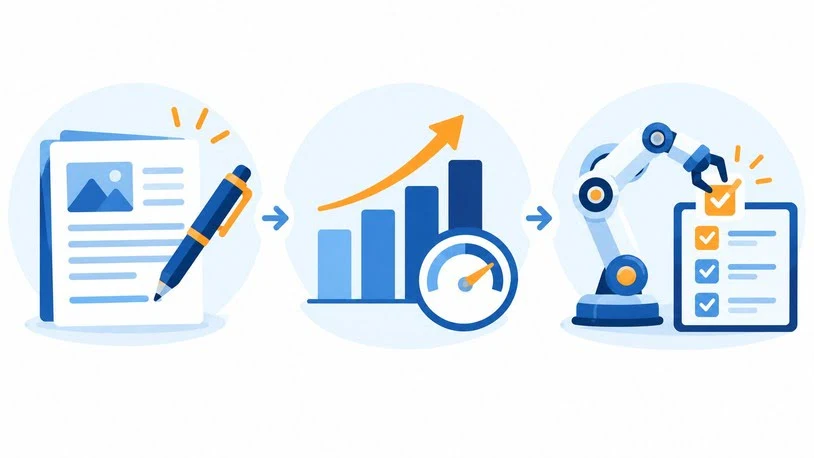
Vendors use “AI-powered” for very different capabilities. Knowing which kind you are buying prevents disappointment.
| Type | What it does | Sales examples | Main limitation |
| Generative AI | Creates content | Email drafts, call summaries, proposal text | Output needs review for accuracy and tone |
| Predictive AI | Scores and prioritizes | Lead scoring, deal risk, forecasting | Only as good as the historical data |
| Agentic AI | Takes multi-step actions | AI SDRs that research, write, send, and follow up | Needs guardrails, approval modes, and monitoring |
The question to ask any vendor is simple: does the AI suggest, or does it act? A tool that drafts an email for approval is very different from one that sends on its own.
The Main Categories of AI Tools for Sales
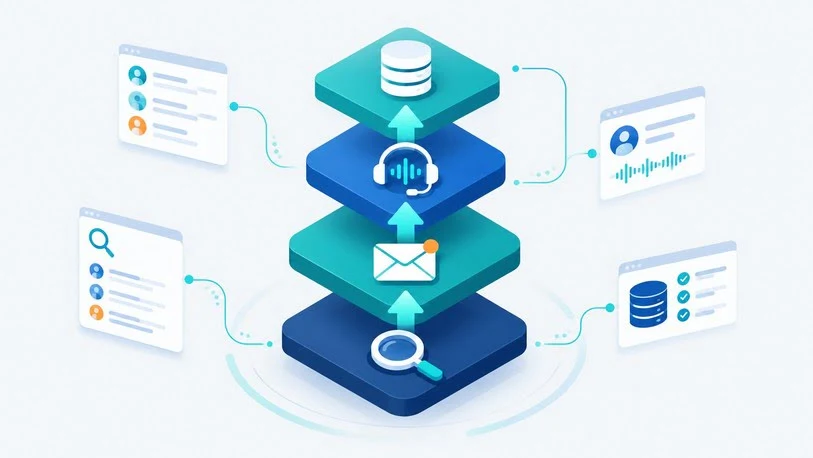
Data and prospecting tools
These tools build lead lists and keep records accurate. Core features include contact databases, email and phone verification, firmographic and technographic filters, and intent signals showing which accounts are researching your category.
Examples include ZoomInfo, Apollo, Cognism, Clay, and Seamless.AI. Seamless.AI is described as turning real-time buying signals into outbound campaigns and cleaning up CRM data. Clay works differently: it is a workflow builder that pulls from many data providers rather than owning one database.
Start here if reps spend hours researching accounts or outreach bounces because of bad data.
Sales engagement and AI SDR tools
Engagement platforms run sequences across email, LinkedIn, phone, and sometimes SMS or WhatsApp. The newer layer is the AI SDR, an agent that finds prospects, personalizes outreach, handles replies, and books meetings.
Examples include Outreach, Salesloft, Reply, Salesforge, Amplemarket, and Instantly. Instantly is described as using an AI copilot to find leads, write custom copy, and run cold email campaigns at scale. Most tools in this group offer a human-approval mode and an autonomous mode. Start with approval mode so someone reviews what goes out under your brand.
Start here if follow-up is inconsistent or volume is limited by rep hours rather than lead supply.
Conversation intelligence
These tools record and transcribe calls, then highlight objections, competitor mentions, talk-to-listen ratios, and next steps. Gong and Clari Copilot are well-known examples. Lighter options such as Fathom or Otter handle transcription and summaries at lower cost.
Start here if coaching relies on anecdotes or managers cannot see why deals stall.
CRM-native AI
Salesforce (Einstein and Agentforce) and HubSpot (Breeze) build AI into the CRM: predictive lead scoring, activity capture, email drafting, call preparation, forecasting, and configurable agents. The advantage is no data sync headaches. The risk is data quality, since CRM AI is only as reliable as the records beneath it.
Start here if your team already lives in one CRM and wants more from it before adding another vendor.
Revenue intelligence, scheduling, and field tools
- Revenue intelligence (Clari, Gong) analyzes pipeline activity to predict outcomes and flag risk. It mainly serves managers and RevOps.
- Scheduling, notetaking, and inbound qualification tools are small but often pay back quickly by removing manual work.
- Field sales tools (SPOTIO, Leadbeam, Badger Maps) suit door-to-door and territory-based reps who need mobile access, route planning, voice notes, and offline use. Desk-based AI SDR tools rarely fit these workflows.
Popular AI Sales Tools by Category
Features and plans change often, so confirm details on each vendor’s current pages before buying.
| Category | Example tools | Typically best fit |
| Data and prospecting | ZoomInfo, Apollo, Cognism, Clay, Seamless.AI | Teams that need accurate B2B data and signals |
| Engagement and AI SDR | Outreach, Salesloft, Reply, Salesforge, Amplemarket, Instantly | Outbound teams that want consistent follow-up |
| Conversation intelligence | Gong, Clari, Fathom, Otter | Managers who want evidence-based coaching |
| CRM-native AI | Salesforce Einstein/Agentforce, HubSpot Breeze, Pipedrive | Teams standardized on one CRM |
| Revenue intelligence | Clari, Gong | RevOps and sales leadership |
| Field sales | SPOTIO, Leadbeam, Badger Maps | Outside and door-to-door teams |
No product tops every category. A tool that excels at data may be weak at engagement, and a strong CRM may lack deep prospecting data. Treat any “best overall” label with caution, especially when a vendor is ranking its own product.
Amplemarket and Other AI-First Prospecting Platforms
Readers searching for an AI sales tool like Amplemarket usually want an AI-first platform that combines prospect data, multichannel outreach, and an AI assistant in one place, rather than several separate tools.
Amplemarket is generally positioned in that space, with prospect research, sequences across email, LinkedIn, and phone, and AI assistance for building lists and messaging. Apollo, Reply, and Salesforge take similar all-in-one approaches with different balances of data depth, channel coverage, and automation.
When comparing platforms in this group, check:
- Data source: does the platform own its contact data or rely on third parties?
- Channel dependence: do LinkedIn features require a separate paid subscription, and what happens if LinkedIn changes its rules?
- Autonomy controls: can you require approval before sends and audit what the AI said?
- Pricing model: per seat, per credit, or per outcome? Credit-based models can cost more than the headline price for heavy phone-lookup use.
- Learning curve: how long until a new rep can send a useful first campaign?
All-in-one platforms reduce vendor sprawl but can lock you into a weaker component. Specialist stacks give more control but need more integration work.
How to Choose the Right AI Sales Tool
Start with the problem, not the product.
Step 1: Find your highest-friction workflow
- Reps lose hours researching accounts → data and prospecting
- Follow-up is inconsistent → engagement or AI SDR
- Deals slip without warning → conversation or revenue intelligence
- Reps skip CRM updates → notetaker or CRM-native AI
- Field reps log nothing → voice capture and mobile tools
Buying in the wrong order wastes money. An outreach tool fed by poor data simply sends bad emails faster.
Step 2: Evaluate against consistent criteria
| Criterion | What to ask |
| Data quality | How is data verified, and how often refreshed? |
| Integration depth | Is CRM sync two-way with field-level mapping, or just an export? |
| AI transparency | What grounds the AI? What stops it from stating false facts in outreach? |
| Control | Is there an approval mode, an audit log, and an easy off switch? |
| Compliance | Does it support GDPR, CCPA, and your industry’s rules? |
| Total cost | What do seats, credits, add-ons, onboarding, and renewals cost over a year? |
| Time to value | How quickly can a typical rep get a useful result? |
Step 3: Test with your own data
Ask vendors to run the AI against your actual ICP during a live demo. Generic or inaccurate output usually signals a weak model or thin data coverage.
Step 4: Pilot before rollout
Run a roughly 30-day pilot with a few reps and a defined segment. Track connect rate, reply rate, meetings booked, and admin time saved. If the numbers do not move on a small pilot, more seats will not fix it.
Step 5: Plan adoption
Many rollouts stall when novelty fades. Ask the vendor what onboarding support looks like, and name one internal owner.
Evaluating AI Sales Tools as a Technical Post-Sales Leader
Most guides assume the buyer is a sales development manager. Technical post-sales leaders, such as heads of solutions engineering, customer success, onboarding, and support engineering, evaluate AI differently because their work depends on technical accuracy, integrations, and trust.
Key competencies when assessing AI tooling in this role:
- Technical accuracy: can the AI answer product questions from documentation you control without inventing features?
- Integration and API fluency: does the tool offer a documented API, webhooks, or Model Context Protocol (MCP) support so your own agents and internal systems can call it? Several sales platforms now expose MCP or similar interfaces for programmatic search, enrichment, and actions.
- Workflow design: can you map handoffs from sales to onboarding to support so context is not lost?
- Security and governance: does the vendor offer SOC 2 reporting, role-based access, retention controls, and clear terms on customer data use?
- Measurement: can you tie AI usage to outcomes such as time to first value, onboarding speed, expansion, or ticket deflection rather than activity counts?
- Change management: can you coach non-technical colleagues to use the tool safely?
This is where developer tooling and AI overlap with sales. If your team builds internal automations, a tool with a solid API or MCP support is often worth more than one with a polished interface and no programmatic access. Be cautious with autonomy in customer-facing technical conversations, since a wrong answer sent to a customer can cost more than the time saved.
Example AI Sales Stacks by Team Type
| Team type | Core tools | Why |
| Solo founder or very small team | One CRM with built-in AI, a notetaker, a data tool with a free tier | Low cost, fast value |
| Outbound team (5–15 reps) | Data tool, engagement or AI SDR platform, notetaker | Covers sourcing, outreach, logging |
| Mid-market team with managers | CRM-native AI, engagement platform, conversation intelligence | Adds coaching and deal visibility |
| Enterprise or RevOps-led team | Verified data platform, engagement platform, conversation and revenue intelligence | Needs governance and scale |
| Field sales team | Field execution platform, lightweight call recording, B2B data tool | Fits mobile, territory-based work |
Add a tool only when you can name the problem it solves.
Common Mistakes
- Buying features instead of fixing a bottleneck. A long feature list does not make a tool useful.
- Skipping data hygiene. AI amplifies bad CRM data.
- Enabling full autonomy too early. Start in approval mode and review samples.
- Ignoring compliance. Consent and privacy rules differ by region.
- Over-personalizing. Referencing small personal details can feel intrusive.
- Measuring activity instead of outcomes. Emails sent matter less than meetings held and pipeline created.
- Trusting vendor rankings as neutral. Check how a list explains its method, and whether the publisher ranks its own product.
Compliance and Platform Risks
Platform rules. LinkedIn restricts automated activity, and enforcement changes. Use conservative daily limits, avoid repetitive templates, and read current terms before automating.
Privacy and consent. B2B data and outreach rules differ across regions. Confirm what your vendor handles and what stays your responsibility.
Sender reputation. High-volume cold email affects deliverability. Monitor bounces, spam complaints, and reply sentiment.
How to Measure the ROI of AI Sales Tools
Measure before and after, using the same definitions. Useful metrics:
- Hours of admin or research time saved per rep per week
- Connect rate and reply rate
- Meetings booked per rep
- Pipeline created and win rate
- Sales cycle length
- Forecast accuracy against rep estimates
A simple illustrative example (hypothetical numbers):
- A rep spends 6 hours a week on research and CRM updates, and a tool cuts that by 2 hours.
- Across 10 reps, that frees 20 hours a week.
- At a fully loaded cost of $50 an hour, that is about $1,000 a week, or roughly $52,000 a year.
- Compare it with annual licenses, onboarding, and management time.
Time saved only counts if it moves into revenue-producing work, so pair it with outcome metrics.
Frequently Asked Questions
What are AI sales tools?
They are software products that use AI to automate or improve sales tasks such as prospecting, outreach, call analysis, lead scoring, forecasting, and CRM updates. Some only suggest actions, while others act on their own.
What are the best AI sales tools?
It depends on your bottleneck. Data platforms suit teams that need accurate contacts, engagement platforms suit outbound follow-up, conversation intelligence suits coaching, and CRM-native AI such as Salesforce or HubSpot suits teams standardized on one system.
What is an AI SDR?
An AI SDR is an agent that handles sales development tasks: finding prospects, drafting and sending outreach, following up, and booking meetings. Most offer a mode where a human approves messages.
Are there free AI tools for sales?
Several data, CRM, scheduling, and notetaking products offer free tiers with limits on records, summaries, or features. Check caps on credits and AI features before committing.
How do AI sales tools integrate with a CRM?
Most connect through native integrations or APIs. The key question is whether sync is two-way with field-level mapping.
Can AI replace sales reps?
Not for complex selling. AI handles research, drafting, scheduling, and logging, while relationship building and negotiation still rely on people.
Are AI sales tools safe for LinkedIn outreach?
They carry risk, since LinkedIn restricts automated behavior and can limit accounts. Lower risk comes from conservative limits, varied messages, and reading the platform’s current terms.
How much do AI sales tools cost?
Costs range from free plans to enterprise contracts priced by seat, credit, or usage. Compare total annual cost, including add-ons and renewal terms, not just the starting price.
What should technical post-sales teams look for?
Grounded technical accuracy, documented APIs or MCP support, security and governance controls, and measurable outcomes such as onboarding speed and expansion.
Conclusion
Match AI sales tools to a specific problem: find where your team loses the most time, pick the category that addresses it, test with your own data, and pilot before rolling out. Keep a human in the loop for customer-facing output, watch compliance and accuracy, and measure outcomes rather than activity. A small, well-integrated stack your team actually uses will outperform a large collection nobody has time to learn.

James Anderson is a sales professional focused on helping businesses improve their sales process and achieve better results. He is experienced in using sales tool to manage leads track customer interactions identify opportunities and support business growth. William values clear communication strong customer relationships and efficient sales strategies.