
Best Sales Intelligence Tools for B2B Contact Data
The best sales intelligence tools for B2B contact data depend on the gap you need to close. ZoomInfo suits larger teams that want broad North American coverage. Apollo is the usual value pick because it pairs data with outreach. Cognism fits teams selling into Europe, Lusha handles quick lookups, and Clay suits teams that want to build their own multi-source enrichment workflow.
This guide explains what these tools do, how to compare them, which suits which team, and how to test them on your own market before you commit. It also covers the step most buying guides skip: measuring whether a tool improves outbound prospecting once you pay for it. For that, it uses the funnel metrics automotive retail teams rely on, such as appointment, show and closing rates.
The Best Tools at a Glance
| Tool | Best for | Approx. entry price | Main limit |
|---|---|---|---|
| ZoomInfo | Broad North American coverage | From about $15,000 a year, quote-based | Cost and credit limits |
| Apollo | Data plus outreach on a budget | Free tier; paid plans from about $49 per user per month | Accuracy varies, so test first |
| Cognism | European, phone-verified data | Quote-based, typically five figures a year | Thinner coverage outside Europe |
| Lusha | Quick individual lookups | Free tier; credit-based paid plans | Not a full platform |
| Clay | Multi-source enrichment | From the low hundreds per month | Build and maintenance effort |
| LinkedIn Sales Navigator | Relationship mapping | Roughly $100 or more per user per month | No bulk email or phone export |
| Seamless.ai | On-demand list building | Free tier; paid plans vary | Verify accuracy on a sample |
| Lead411 | Contacts plus intent on a budget | From about $99 per user | Smaller database |
Prices are approximate. Published figures differ between sources and vendors change plans often, so confirm current pricing before budgeting.
What Are Sales Intelligence Tools?
Sales intelligence software supplies the outside information a seller needs to decide who to contact, when and how. In B2B, the foundation is contact data: verified work emails, direct-dial and mobile numbers, job titles and reporting lines. Around it sit company details (size, industry, technology in use) and timing signals such as hiring, funding or leadership changes.
Three product types are often confused:
| Category | Question it answers | Examples |
|---|---|---|
| Contact database | Who is this person and how do I reach them? | Lusha, Seamless.ai |
| Sales intelligence platform | Which accounts and people matter now, and why? | ZoomInfo, Cognism, Lead411 |
| Sales engagement tool | How do I run outreach at scale? | Sequencing and dialer features, such as those in Apollo |
Many products cross these lines. A related category, conversation intelligence, analyzes calls you have already held rather than finding new contacts. Gong, Avoma and ZoomInfo’s Chorus are examples.
Many vendors now add AI summaries and scoring. Treat them as a starting point. A summary built on an outdated job title or a broad company-level signal can sound confident and still be wrong, so check the underlying record before acting on it.
How to Compare B2B Contact Data Tools
Database size is the number vendors lead with and the one buyers should trust least. A large database can still be thin in your niche, region or seniority band. Compare on these factors instead:
- Accuracy in your segment. Quality varies by country, industry and company size.
- Freshness. People change jobs constantly, and industry estimates commonly put contact decay in the low single digits per month, which compounds quickly. Ask whether lookups use live sources or cached records.
- Data types included. Emails, mobile numbers and direct dials are often priced differently.
- Compliance support. If you contact people in Europe or California, ask how the vendor handles lawful basis, opt-outs and do-not-call screening.
- CRM integration. An ongoing sync keeps records enriched. A one-time import goes stale within weeks.
- Signal quality. Check whether signals attach to a named person or only to a company. Company-level signals tell you where to look, not whom to call.
- Pricing model and total cost. Per-seat, per-credit and annual contracts scale differently, and the labor around a tool counts too.
The Best B2B Contact Data Sales Intelligence Tools
ZoomInfo: Broad Coverage for Larger Teams
ZoomInfo combines company and contact data with org charts, technology data, intent signals, website-visitor identification and deep CRM integrations. Its coverage is strongest in North America.
Pricing is quote-based, with contracts commonly starting around $15,000 a year and credit pools that can push reps to ration lookups. It earns its cost when several people use its breadth every week. For a small team with a narrow target list, it is often more platform than the problem needs.
Apollo: Value for Data Plus Outreach
Apollo pairs a large contact and company database with search filters, enrichment, email sequences, a dialer and CRM connections. Published lower-tier plans have been around $49 and $99 per user per month, plus a free tier and custom enterprise pricing.
It is the usual first stop for small and mid-sized teams that want one tool for finding and contacting prospects. The caution is data quality, which reviewers describe as uneven by region and segment. Test it on your own list before sending at volume, because high bounce rates can damage your sending domain’s reputation and that is slow to repair.
Cognism: European and Phone-First Selling
Cognism emphasizes phone-verified mobile numbers, do-not-call screening and GDPR-aware processing. If much of your pipeline sits in the UK or continental Europe and calling is a core channel, it belongs on the shortlist.
Pricing is quote-based and generally in the five-figure annual range, with packages built for small groups. Coverage outside Europe is typically thinner, so US-only teams often look elsewhere.
Lusha: Fast Individual Lookups
Lusha works mainly as a browser extension. A rep viewing a LinkedIn profile or company site can reveal an email and phone number in seconds, with almost no setup. It is a lookup tool rather than a full platform, with limited native outreach and light intent data.
Pricing is credit-based, and published per-user figures vary across sources, so check the current plan page. Credit use deserves attention because different data types can consume credits at different rates.
Clay: Multi-Source Enrichment
Clay is a data-orchestration platform. Instead of trusting one provider, it queries many in sequence, so if the first source has no email, the next one tries. This “waterfall” approach can raise match rates, and it supports custom research steps such as checking a company’s website for specific facts.
The power comes with work. Someone must design, test and maintain the workflows, and credit use grows with complexity. It suits teams with RevOps or growth-engineering capacity.
LinkedIn Sales Navigator: Relationships, Not Exports
Sales Navigator adds advanced search, saved lists, job-change alerts and shared-connection insight to LinkedIn. It is excellent for finding the right people and warm paths to them. It is not designed to hand over emails and phone numbers in bulk, so many teams pair it with a contact-data tool.
Seamless.ai and Lead411: Lower-Cost Options
Seamless.ai builds lead lists on demand rather than from a static snapshot. Lead411 bundles verified contacts with buying-intent signals, though its database is smaller than the largest providers’. Both are worth a sample test when budget is the main constraint.
Intent, Visitor and Enrichment Layers
Some tools identify which companies show interest rather than which individuals to call. 6sense, Demandbase and Bombora surface company-level research activity, usually for account-based programs with larger budgets. Leadfeeder shows which companies visit your website. Clearbit, now part of HubSpot, enriches records inside HubSpot’s CRM. These tools improve prioritization, but you still need a contact source to reach a person.
Which Tool Fits Your Outbound Prospecting Team?
Outbound prospecting puts the most pressure on data quality, because every bad record wastes rep time and, for email, can harm deliverability.
| Team profile | Sensible starting point |
|---|---|
| Solo seller or founder | Free tiers (Apollo, Lusha) plus LinkedIn research |
| Small team wanting one tool | Apollo, after a sample accuracy test |
| Mid-market team, mixed segments | Apollo or Lead411, with a second source for gaps |
| Enterprise or multi-region team | ZoomInfo or Cognism, depending on geography |
| Team with RevOps capacity | Clay layered over one or two providers |
| Account-based program | An intent layer plus a contact source |
Most teams pair one contact-data platform with an enrichment or intent layer rather than relying on a single product.
Understanding Pricing Models
- Self-serve per-user plans (Apollo, Sales Navigator, Lead411) are cheap to start, but costs rise with headcount.
- Credit-based plans (Lusha, Clay) are inexpensive at low volume and harder to predict at high volume.
- Sales-led annual contracts (ZoomInfo, Cognism, 6sense) cost more upfront and require commitment, but make per-record costs more predictable at scale.
Estimate your monthly lookup volume first, then add hidden costs: a separate engagement tool, deliverability tooling, and time spent cleaning lists.
A Weighted Scorecard for Choosing
Score each shortlisted tool from 1 to 5 on every row, multiply by the weight, and add the results. The weights are a starting point.
| Criterion | Weight | What to score |
|---|---|---|
| Match rate on your test list | 25% | Share of target accounts returning a relevant contact |
| Email and phone accuracy | 25% | Bounce rate and right-person connect rate on a sample |
| Cost per usable contact | 15% | Total cost divided by verified contacts |
| Compliance fit | 10% | Support for your regions and channels |
| CRM integration | 10% | Ongoing sync, not one-time import |
| Effort to operate | 10% | Setup, cleaning and maintenance time |
| Signals and enrichment | 5% | Timing data tied to named people |
A team selling mainly into Europe might raise compliance to 20% by taking 5 points each from signals and effort, and that change alone could reorder the ranking.
How to Test a Tool Before You Buy
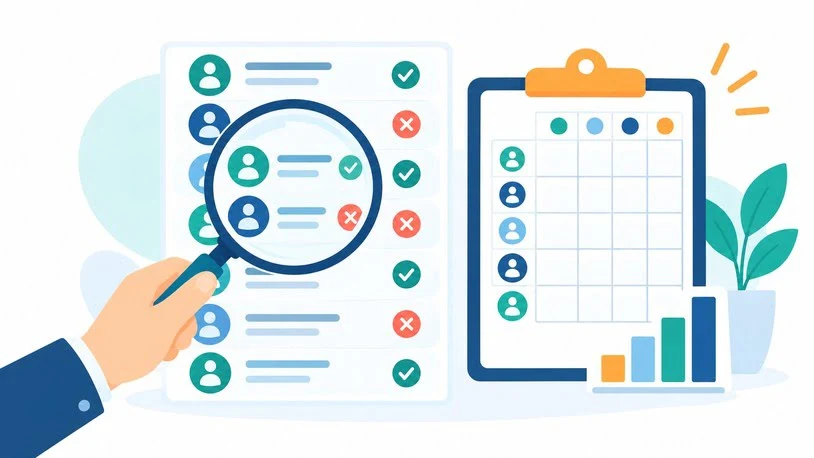
Vendor demos use clean samples. Your test should not.
- Build a test list of 50 to 100 real target accounts. Include small companies, awkward regions and the seniority levels you pursue. Mix in some clear bad fits to see whether the tool helps you spot them.
- Run the same list through two shortlisted tools using free trials or limited credits.
- Record the match rate: how many accounts returned a relevant contact?
- Verify a sample of emails and record the bounce rate.
- Call a sample of numbers and note how many reach the right person.
- Track the effort spent searching, exporting and cleaning.
- Calculate cost per usable contact, not cost per record.
Accuracy at purchase is not accuracy six months later. Re-verify emails before major campaigns, sync with your CRM on a schedule, suppress bounces and opt-outs immediately, and watch your sending domain’s health.
Measuring Whether Outbound Prospecting Works
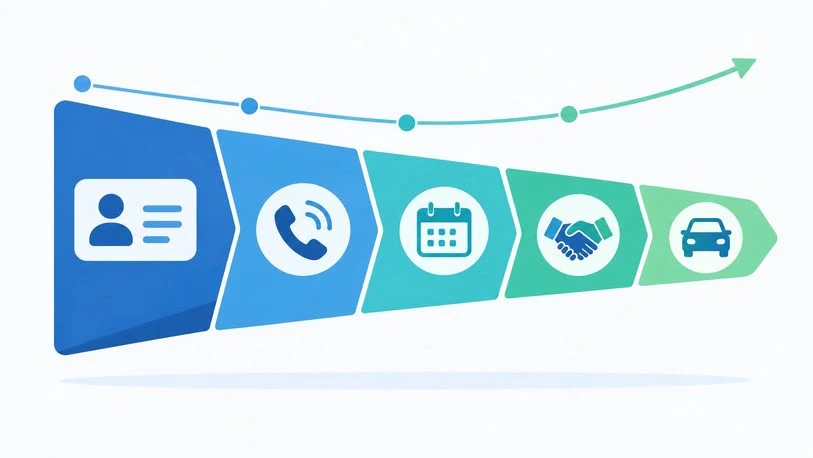
A tool that finds contacts has not yet proven it improves sales. Measure the whole funnel and break results out by data source so you can compare tools fairly.
| Metric | Formula | What it reveals |
|---|---|---|
| Match rate | Accounts with a usable contact ÷ accounts tested | Coverage of your market |
| Email bounce rate | Bounced emails ÷ emails sent | Data quality and domain risk |
| Contact rate | Prospects reached ÷ attempts | Reachability |
| Response time | Time from signal or inquiry to first touch | Speed of follow-up |
| Appointment set rate | Appointments ÷ prospects reached | Conversation quality |
| Show rate | Appointments attended ÷ scheduled | Commitment strength |
| Closing ratio | Deals won ÷ appointments attended | Selling effectiveness |
| Cost per appointment | (Tool + labor + outreach cost) ÷ appointments | Efficiency of the source |
| Revenue or gross profit per account | Profit ÷ accounts won | Value of the segment |
Applying the Metrics at a Dealership
Retail car sales are mostly consumer-facing, but many dealership groups also pursue fleet, contractor, rental and corporate-program accounts. For that outreach, the same funnel applies, with a few dealership-specific measures added:
- Gross profit per unit sold: gross profit ÷ vehicles sold to the segment.
- Fleet account penetration: target accounts that bought ÷ target accounts contacted.
- Repeat purchase rate: accounts that bought again ÷ accounts won.
Set a baseline from your own history before comparing sources, and keep consumer marketing data separate from B2B prospecting, since the privacy and consent rules differ.
A Hypothetical Comparison
These figures are invented to show the arithmetic, not to describe real tools.
A dealership group tests two tools for commercial-vehicle outreach. Tool A costs $1,200 and yields 600 usable contacts, or $2.00 each. Tool B costs $700 and yields 450, or about $1.56 each. On cost per contact, Tool B wins.
Now follow the funnel. Tool A’s contacts produce 30 appointments, or $40 per appointment. Tool B’s produce 14, or $50 per appointment. Tool A is cheaper where it counts, even though each record costs more. Adding labor could change the result again if one tool demands far more cleanup. The lesson is to compare tools at the appointment and revenue stage, not the record stage.
Compliance Basics
Contact data is regulated, and the rules differ by channel and region. Email, calls and text messages are treated differently, as are business and personal contact details. The EU and California add their own requirements. Confirm your lawful basis, honor opt-outs and screen against relevant do-not-call lists before launching campaigns. This is general information rather than legal advice, so have counsel review your process.
Common Mistakes When Buying Contact Data
- Choosing on database size instead of fit with your market.
- Skipping the sample test and trusting a demo.
- Overlooking deliverability, since bad data at volume can hurt your domain.
- Buying unused features instead of solving the single biggest gap first.
- Treating signals as certainties. A website visit or research spike suggests interest, not intent to buy.
- Comparing at the record level rather than by appointments and revenue.
Frequently Asked Questions
What are the best sales intelligence tools for B2B contact data?
ZoomInfo offers the broadest coverage for larger North American teams. Apollo gives strong value by combining data with outreach. Cognism leads for European, phone-verified data, Lusha handles quick lookups, and Clay raises match rates by combining many sources. The right choice depends on your region, budget and workflow.
How accurate is B2B contact data?
No provider is fully accurate. Roles change often, so records decay, and accuracy varies by region and segment. The most reliable check is a sample test of match and bounce rates on your own target accounts.
Is Apollo better than ZoomInfo?
It depends on your needs. Apollo costs far less and bundles outreach, which suits small and mid-sized teams. ZoomInfo offers broader data and deeper integrations, which suits larger organizations with the budget to match.
Which tool is best for outbound prospecting on a small budget?
Tools with free tiers, such as Apollo and Lusha, are the usual starting points, often paired with LinkedIn for research. Test accuracy on a small list and watch bounce rates before scaling volume.
Do these tools integrate with a CRM?
Most leading tools sync with CRMs such as Salesforce and HubSpot, usually on paid tiers. A CRM stores your relationships and deals, while sales intelligence supplies the outside data that enriches those records. Confirm the sync refreshes records continuously rather than importing them once.
Can a car dealership use B2B contact data tools?
Yes, mainly for fleet, commercial and corporate-program outreach, as a complement to consumer sales. Track appointment set, show and closing rates by data source to see whether it pays off.
Are these tools compliant with privacy laws?
It varies by vendor and by how you use the data. Some, such as Cognism, emphasize European compliance and do-not-call screening. Review each vendor’s data-processing terms and confirm your own practices with legal counsel.
Conclusion
The best sales intelligence tools for B2B contact data are the ones that put your reps in relevant conversations at a cost per appointment you can defend. Name your biggest gap first, whether that is coverage, accuracy, phone numbers, timing or workflow. Shortlist two tools, run the same real sample through both, score them on the weighted scorecard, and track appointments and revenue by source. Evidence from your own market will serve you better than any ranking, including this one.

Olivia is a sales professional who shares practical insights on sales strategies, lead management, customer relationships, and tools that help businesses sell smarter and grow faster.