
If you are trying to fix where your food is going, the answer depends on timing. Before you order, change the address on the home or checkout screen. After you order, Uber’s help page says to contact your delivery person through the order tracking screen. Some third-party guides describe an in-app option as well, though it does not appear for everyone.
This guide covers both meanings of Uber Eats address. It gives the verified headquarters details, the steps for changing an address, the limits that apply, and what to do when the map or the courier gets it wrong.
What Uber Eats Address Can Mean
The phrase points to four different things, and mixing them up is why advice online often seems to contradict itself.
| Meaning | What it refers to | Where to find or manage it |
| Corporate address | Where Uber Technologies, Inc. is headquartered | Uber’s annual report and SEC filings |
| Restaurant address | The physical location of a store you order from | The store’s page in the app |
| Delivery address | Where your order is dropped off | Home screen, checkout, and saved addresses in the app |
| Billing address | The address linked to your payment method | Your payment settings, which are separate from delivery |
This article focuses on the corporate and delivery meanings, because they account for most searches. A restaurant’s address comes from its own listing, so if it looks wrong, tell the restaurant. The merchant section below explains how stores update it.
Uber Eats Headquarters Address
The Official Corporate Address
Uber Technologies, Inc. gives this address on the cover of its annual report for the year ended December 31, 2025:
Uber Technologies, Inc.
1725 3rd Street
San Francisco, CA 94158
SEC filing records for Uber’s 2024 annual report and its third-quarter 2025 quarterly report show the same business and mailing address. A Kentucky business registry entry for a US subsidiary, Uber USA LLC, lists it as the principal office. These sources were last checked on November 25, 2026. If you need the address for something formal, confirm it against Uber’s most recent filing.
Uber Eats has no headquarters of its own because it is a product of Uber. The Uber Eats app is published under the name Uber Technologies, Inc. in the Apple App Store, and the copyright line on the Uber Eats website names the same company.
Older Addresses You May Still See Online
Some older guides still give a Market Street address in San Francisco’s SoMa district as the Uber Eats headquarters. A directory-style listing gives 1515 3rd Street instead. Neither matches the address on Uber’s filings. If a page shows a different address, look at its publication or update date before relying on it.
Headquarters Address vs. Support Address
The headquarters address is for corporate matters such as legal notices and formal correspondence. A letter sent there will not fix a missing item, a late order, or a wrong delivery address. For anything about an order, use the Help section in the Uber Eats app.
Restaurants and Business Partners
If you run a restaurant and your listing shows the wrong address, writing to headquarters will not help. Uber’s merchant help describes changing the store name, phone number, address, and pickup instructions through the Uber Eats Orders tablet. The path it gives is Settings, then Business Information, then edit the fields and select Update. Customers who notice a wrong restaurant address should tell the restaurant, since only the store can correct its listing.
Sales teams that want to pitch restaurants on Uber Eats should use the partner sign-up route on the Uber Eats website rather than the corporate address. The headquarters address is better kept for contracts and formal notices.
Uber Eats Address and Phone Number

Many searches pair the address with a phone number. The verified answer is narrower than most websites suggest.
The Corporate Phone Number
Uber’s SEC filings list a registrant telephone number of (415) 612-8582. That is the corporate number printed on the filing. It is not a customer service line, and you should not expect it to resolve an order problem.
How Uber Says to Get Help
Uber’s App Store listing tells Uber Eats users to tap Help in the app or visit help.uber.com. A separate Uber page for UK customers notes that phone support for Uber Eats is available only for live order issues. Availability may differ by country, so check the Help section in your own app to see which contact options you have.
Be Careful With Unofficial Numbers
Several websites list Uber Eats customer service numbers, and the numbers differ from page to page. None of them could be confirmed from an Uber source, so this article does not repeat them. During a live order, use the contact options inside the app. That route goes through Uber’s own channels, so you avoid dialing a wrong number or one run by a third party.
How to Change Address on Uber Eats Before You Order
Changing an address before you order is simple, because nothing has been committed yet. Menu names vary by app version and region, so treat these paths as the general route.
Change It on the Home Screen
- Open the Uber Eats app.
- Tap the delivery address shown at the top of the home screen.
- Pick a saved address or type a new one.
- Check that the restaurants and fees shown have updated for the new location.
Do this before you add items. The stores available to you depend on the address selected, so a wrong address can hide the restaurant you wanted or show options that cannot reach you.
Change It at Checkout
The checkout screen shows the address your order will use. Tap it to switch to another saved address or enter a new one. Most wrong-address orders come from checking out with an old default, such as a work address on a weekend.
Add, Edit, or Delete Saved Addresses
Your account has a section for managing the addresses used on future orders. Guides describe it under different names, such as Account then Addresses, or Settings then Delivery Address. Uber’s own pages show that the Account tab leads to account management options, so start there and look for the saved addresses list.
From that list you can usually:
- Add a new address, such as a home, workplace, or relative’s address.
- Edit an address that has a typo or a missing unit number.
- Delete an address you no longer use.
- Choose which address is used by default.
Add Apartment, Suite, and Access Details
A street address alone is often not enough in a large building. Add the unit number, entrance, and any gate or door instructions in the delivery notes. A courier who cannot get inside loses time, and your order may arrive cold.
Keep these notes about reaching you. Requests about the food, such as removing an ingredient, belong in the item’s own special instructions box.
Ordering to Someone Else’s Address
You can send an order to a friend or relative by setting the delivery address to theirs at checkout. Make sure the recipient can be reached, because the courier may need to contact someone at the door.
How to Change Your Address in Uber Eats After Placing an Order
This is the hardest case, and it is where sources disagree. The safest approach is to separate what Uber states from what other guides report.
What Uber’s Help Page Says
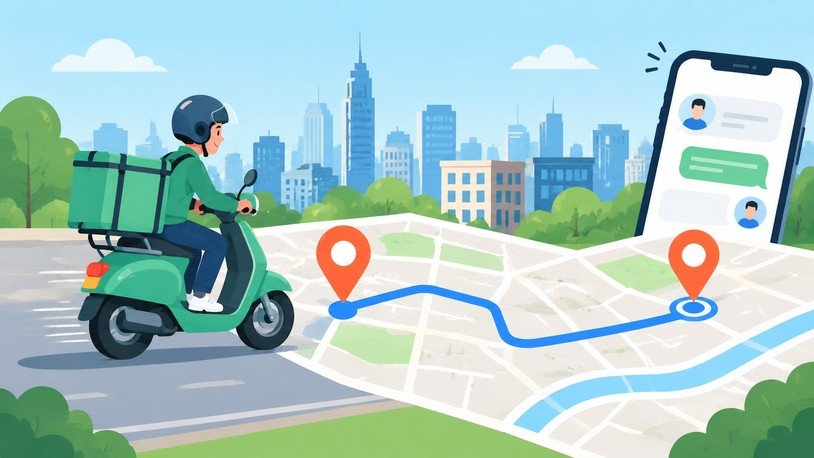
Uber’s help page on changing a delivery address says that if the address on your order is wrong, you should contact your delivery person directly. It says the courier can decide whether to deliver to the corrected address, and that they are paid for the additional travel distance.
The steps Uber gives are:
- As soon as your order is assigned to a delivery person, open the order tracking screen.
- Tap Contact on the map.
- Choose to call or message them.
- Give clear instructions, and keep your phone close with the sound on.
Uber’s page does not describe options for the period before a courier is assigned. If no courier has been assigned yet, check the Help option in your app to see what it offers.
What Uber Tells Couriers
Uber’s help pages for delivery people show the other side of the request, and they explain most of the limits customers run into:
- Couriers can say no. A courier can accept or decline a request to deliver to a new location. If a customer asks for a change, the courier can proceed or contact support to cancel.
- Couriers are paid for the extra distance. When the drop-off location is updated, the courier’s fare is recalculated for the new distance. It can stay the same or go up, and Uber says it never goes down.
- Out-of-area changes are not accepted. Uber’s courier help states that it cannot accommodate an address change if the new address is outside the store’s standard delivery area. In that case, the order is canceled and the customer is still charged.
That last point is the biggest risk for customers. Moving an order to an address beyond the restaurant’s delivery area can end with a canceled order and a charge, so check that the new address is reasonably close before you ask.
What Third-Party Guides Report About an In-App Option
Some guides describe an in-app route. They say you can open the order tracking screen, tap Help, and look for a change delivery address option, or tap Change next to the delivery address in the order details. They add that the option disappears once the courier picks up the food.
Another guide says there is no in-app way to change the address of an active order at all, and that only the courier or support can do it. Uber’s own consumer help page lists the courier route and does not mention an in-app change button. The app changes over time and by region. If you see a Change option, use it. If you do not, you have not done anything wrong, so move on to contacting the courier.
Web and Partner-App Orders
How you place the order can change your options. For example, Uber’s help page for orders made through the PayPay mini app in Japan says you cannot contact delivery partners from the web version or the mini app. It tells customers to contact Uber Eats support and warns that the order may need to be canceled. If you did not order through the main Uber Eats app, expect that the courier-contact steps may not be available to you.
Fees and Price Changes
Third-party guides say a change that lengthens the trip may raise the delivery fee. Uber’s courier help confirms the courier’s pay is recalculated by distance, but the consumer-facing pages I found do not say how the customer’s total is adjusted. Check the order total in the app after any change instead of assuming it stayed the same.
When Uber Support Can Help
If the courier does not reply or declines, use Help in the app to reach support. One third-party guide describes support checking that you are the account holder and that the new address is in range, then asking the courier to accept. That is one writer’s account rather than Uber’s published process, so treat it as a likely path and not a promise.
When Cancelling Is the Better Choice
If the new address is out of range, or nobody will take the change, canceling and reordering to the correct address may be faster. Cancellation fees can apply depending on how far along the order is, and refunds can be partial. If the restaurant has already started cooking, expect it to cost more. Weigh that against waiting for food that cannot reach you.
A Hypothetical Example
This is an illustration, not a real case. Imagine you place a Saturday lunch order and then notice the confirmation shows your office address as the destination. A courier has already been assigned.
- Open the order tracking screen right away and tap Contact on the map.
- Message the courier with the corrected address, a landmark, and your unit number.
- Wait for a clear yes or no. If it is a no, or you hear nothing, open Help and ask support.
- If the corrected address is near the restaurant, a courier is more likely to agree. If it is far away, be ready to cancel and reorder.
- Check the final order total once the change is confirmed. A tip is optional, but the courier is covering extra distance for you.
If Your Address Is Wrong, Missing, or Pinned in the Wrong Place
Sometimes the mistake is not yours. The app may fail to find your address, or it may place the pin on the wrong building.
Fix the Underlying Map Data
The US government’s GPS site states that Uber and Uber Eats get their address information from Google Maps. Its recommended fix is to correct the address at the source:
- Open the Google Maps app.
- Search for the address you want to fix.
- Tap Suggest an Edit, then Fix an Address.
- Move the map to the center of the building.
- Enter the address information and submit.
An accepted edit may not show up in Uber Eats right away, so use delivery notes and courier contact for any order you place in the meantime.
Work Around a Bad Pin Today
While you wait for a map correction, you can limit the damage:
- Describe the exact entrance, building name, or a nearby landmark in the delivery notes.
- Message the courier as soon as one is assigned and confirm where to meet.
- Stay reachable by phone until the order arrives.
Troubleshooting Checklist
| Problem | What to try |
| No option to change the address | Contact the courier from the tracking map, then support |
| New address is refused | It may be outside the delivery area. Cancel and reorder, or pick a closer address |
| Courier does not answer | Open Help in the app and contact support |
| Address not found in the app | Try a nearby landmark, then correct the map data |
| Old default address keeps coming back | Edit or delete it in your saved addresses and choose a new default |
| App shows the wrong restaurants | Check the address at the top of the home screen |
Remove Old Addresses and Keep Your Account Secure
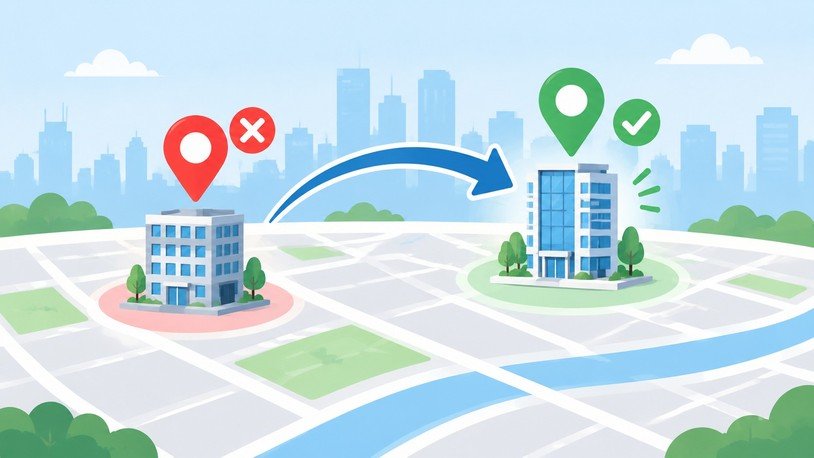
Outdated addresses cause mistakes, and they also record places you have lived or stayed. Remove the ones you no longer use, especially a former home or a temporary location.
A few habits help:
- Delete saved addresses after a move or a short stay somewhere.
- Check the default address before each order.
- Use a unique password for your Uber account.
- Turn on any extra verification your account offers.
- Look through your order history now and then for orders you do not recognize.
Uber’s help pages explain that it uses verification codes to confirm that you are the one changing certain account details. Keeping your phone number and email current makes those checks easier to pass.
Quick Reference
| Task | Where to do it | Main limit |
| Find Uber’s corporate address | Annual report or SEC filings | Not a support channel |
| Change address before ordering | Home screen or checkout | Verify it before adding items |
| Edit saved addresses | Account area of the app | Menu names vary by version |
| Change address after ordering | Courier contact, then support | Courier can decline, and out-of-area changes cancel the order |
| Fix a wrong pin or missing address | Google Maps Suggest an Edit | May not update right away |
| Get help with a live order | Help in the app | Phone support limited to live orders in some regions |
Frequently Asked Questions
What is the Uber Eats headquarters address?
It is 1725 3rd Street, San Francisco, CA 94158, the address Uber Technologies, Inc. lists in its fiscal 2025 annual report. Uber Eats does not have a separate headquarters.
Is the Uber Eats address different from Uber’s address?
No. Uber Eats is part of Uber, and the corporate address belongs to Uber Technologies, Inc.
How do I change my address in Uber Eats before I order?
Tap the address at the top of the home screen or on the checkout screen, then choose a saved address or enter a new one. To change saved addresses permanently, look in the addresses section of your Account.
Can I change my delivery address after placing an order?
Sometimes. Uber’s help page says to contact your delivery person from the order tracking screen once the order is assigned. Some guides report an in-app Help option that disappears after pickup. A change is not guaranteed, because the courier can decline.
What happens if the new address is outside the delivery area?
Uber’s courier help says it cannot accommodate address changes outside the store’s standard delivery area. The order is canceled, and the customer is still charged. Check that the new address is within a reasonable distance before you ask.
Does changing the address cost more?
It can. Uber says couriers are paid for any extra distance, and third-party guides report that the delivery fee may rise. Check your order total after the change.
What if the courier refuses the new address?
Use Help in the app to contact support. If the change cannot be made, canceling and reordering may be the practical option, though a cancellation fee can apply.
How do I delete an old saved address?
Open the addresses section under your Account, select the address, and delete it. Menu labels vary by app version, so look for the saved addresses list.
What is the Uber Eats customer service phone number?
Uber points customers to Help in the app, and a UK page says phone support is limited to live order issues. The only number confirmed here is the corporate one on Uber’s filings, (415) 612-8582, which is not a support line. Numbers on other websites could not be verified.
Why does Uber Eats show the wrong location for my address?
According to the US GPS site, Uber and Uber Eats get address data from Google Maps, so an error there can carry through. You can submit a correction in Google Maps and use delivery notes in the meantime.

James Anderson is a sales professional focused on helping businesses improve their sales process and achieve better results. He is experienced in using sales tool to manage leads track customer interactions identify opportunities and support business growth. William values clear communication strong customer relationships and efficient sales strategies.